I had a clean flat scan of my personal card open on my monitor yesterday evening. Right beneath the main nameplate, a single uppercase line read CEO in dark slate lettering against subtle paper grain. We recently reorganized our early corporate structure, and that executive role needed to read FOUNDER instead.
The original vector template from several seasons back was nowhere to be found on any storage drive. All I had left was this raster export, which made standard layout editing workflows impossible to use.
When you face an outdated raster card, your immediate instinct might be to rush into a quick graphic fix. However, the most effective path depends entirely on whether you have access to source files or must manipulate static pixels.
Business Card Text Editor
Replace names, website URLs, and contact lines on finished business card graphics.
Inspecting Source Layouts Before Editing Pixels
If your card layout still exists inside InDesign or Canva, you should always return to those applications to edit the existing text boxes directly. Native design software preserves vector outlines, crisp typographic metrics, accurate colors, and sharp geometric proportions for print. Modifying flattened pixels is an alternative reserved strictly for situations where native design files are permanently lost.
I often see professionals struggle with raster edits when an accessible layout file is sitting in an old email thread or cloud archive. Before modifying pixels, check your past communications with your print vendor, archived local drives, and agency deliverables. If you locate the working file, make your revisions inside that software to maintain crisp typographic kerning.
When every search confirms that the original layout file is gone, you must pivot to dedicated raster tools. Solutions like a Business Card Text Editor provide an environment for updating static graphics when traditional typesetting is impossible. Editing raster pixels requires a different mindset because you are blending into an existing image rather than typing on a blank canvas.
Comparing Manual Clone Retouching and Type Re-Creation
In traditional design workflows, altering text on flattened images relies on clone stamp tools and manual font matching. A designer brushes over outdated letters using background samples, attempts to rebuild paper grain, and searches typography libraries for a similar typeface. While this method offers direct manual control, matching exact weights and recreating micro-textures can consume hours of tedious effort.
Even when you find a similar typeface, subtle optical sizing differences often reveal the repair work under close inspection. Flattened scans capture natural paper fibers, anti-aliasing artifacts, and minute ink bleeding that standard digital fonts fail to replicate. A patch that looks acceptable at a distance frequently falls apart when viewed on high-resolution displays.
Manual retouching becomes even harder when target text sits across delicate gradients or textured card stock. Brushing across those transitions often produces muddy color blending and unnatural borders around the edited area. Unless you possess advanced photo-editing skills, manual stamping often looks noticeably patched rather than seamless.
Understanding Direct Neural Pixel Synthesis
Rather than erasing an area and overlaying standard system fonts, modern neural systems approach text alteration as an integrated pixel synthesis challenge. When you need to Edit Text in Image files, the underlying model analyzes surrounding letterforms, local lighting, and paper texture simultaneously. It then reconstructs the requested phrasing directly within the pixel lattice to mirror the original style.
Replacing a title like CEO with FOUNDER introduces spatial challenges across the visual baseline. Because characters like F and O require different proportional spacing than C and E, the synthesis process must balance character widths against surrounding negative space. The neural approach works to generate letterforms that sit naturally alongside existing lines, matching the perceived weight and slant of the card.
You should understand that this method provides a best-effort typographic match rather than an exact extraction of proprietary font files. The system does not deliver an installable font file or export mathematical vector curves for infinite scaling. What it generates is a cohesive raster recreation that matches the visual character of the original proof for presentation needs.
Line Isolation, Preservation, and Selective Line Removal
When updating a professional business card, preserving the integrity of untouched lines is just as vital as modifying target text. You do not want changes to an executive title to introduce unwanted distortions to personal names, contact addresses, or physical street locations. High-performing visual workflows allow you to focus specifically on the title row while locking surrounding content in place.
Locking an identified line preserves its exact original pixels, ensuring that unaffected details remain completely undisturbed throughout the process. In situations where an organizational update eliminates a redundant department line entirely, leaving that line empty removes the row while seamlessly reconstructing the background texture. This straightforward omission lets you streamline the card layout without requiring manual cloning across empty space.
Adopting this focused approach makes it practical to Edit Text on a Business Card without destabilizing the broader graphic balance. You can change your organizational title from CEO to FOUNDER while ensuring that every other typographic element on the card retains its original clarity. This precision keeps your brand identity consistent across all channels while reflecting your updated corporate status.
Platform Architecture, Resolution Tiers, and Resource Consumption
The underlying web platform operates entirely around static graphic files, accepting standard raster uploads in PNG, JPG, and WebP formats. It does not provide an unlimited free service tier, nor does it maintain automated bulk endpoints or high-volume batch APIs. Instead, the architecture focuses on giving individual professionals direct control over single-card updates with predictable credit allocations.
Exploring the workspace and running initial text identification does not deplete your balance, as layout detection costs zero credits. New users receive trial credits upon sign-in, allowing you to test how effectively the recognition engine maps your specific card layout before making any commitment. When you decide to generate an updated visual output, credit deductions correspond directly to the export resolution you choose.
A standard 1K render consumes 10 credits and serves as an effective choice for quick digital reviews, messaging shares, or website thumbnails. If you need enhanced clarity for modern high-density screens or client presentations, a 2K render uses 20 credits to yield sharper character boundaries. When preparing high-detail presentation proofs or inspecting intricate paper textures, opting for a 4K render requires 30 credits to maximize visual fidelity.
Professional Ethics, Verification, and Proofing Standards
Digital text modification carries significant ethical responsibilities that every user must respect. You should only ever alter scans, digital proofs, or mockups that you personally own or have been explicitly authorized to update. The platform is designed to support legitimate business updates, and we strictly forbid using image-editing technology to fabricate fraudulent credentials or impersonate organizations and individuals.
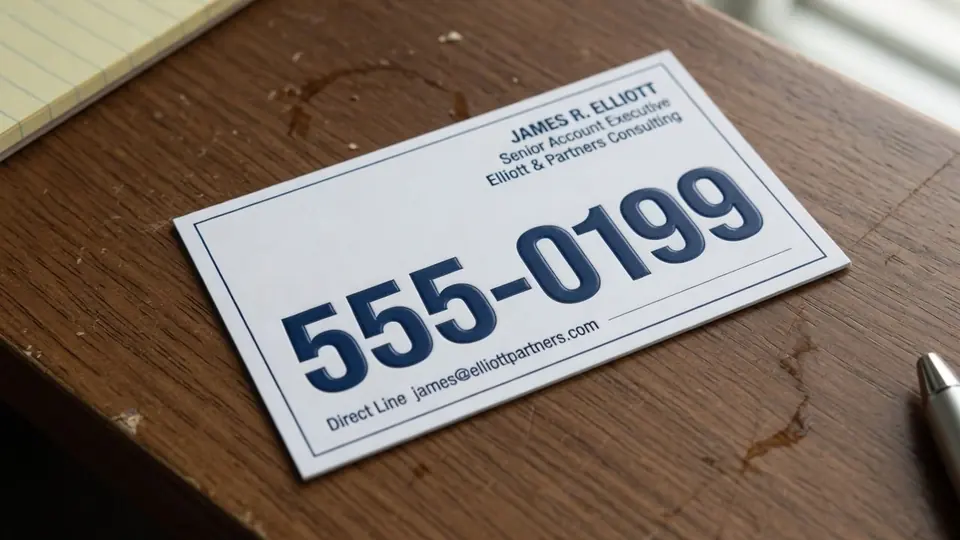
When you work with template demonstrations or sample graphics, the telephone lines frequently feature 555 prefix numbers as recognizable visual placeholders. You must never assume these demonstration numbers represent live operational contacts, nor should you allow placeholder numbers to slip into any materials you circulate. Always type in your own authentic telephone numbers, genuine domain addresses, and verified company details before exporting your final image.
It is equally important to recognize the physical boundaries of raster image modifications when preparing for large physical production runs. A neural pixel replacement excels as a visual mock, a pitch-deck asset, or a temporary digital reference, but it does not replace a production-ready vector PDF for commercial press machinery. If your goal is to print hundreds of heavy cotton cards with specialty finishes, use your edited raster proof as a visual guide for a typesetter to rebuild the layout cleanly.
Evaluating the Best Approach for Your Card Workflow
Determining the best path forward depends on your immediate deadlines, technical resources, and how the revised card will ultimately be distributed. If your original native project files are still accessible in InDesign or Canva, opening those files and modifying the live text frames remains the undisputed gold standard. Doing so preserves flawless vector scalability, exact spot colors, and uncompressed typography without any of the limitations inherent to raster editing.
When native project files are missing, manual clone stamping in photo software provides high customization but demands substantial design skill and excessive time. You must manually clean the canvas, source approximate typefaces, mimic lighting artifacts, and painstakingly blend edges to avoid visible seams. For most business owners who simply need an updated card proof, manual retouching rarely offers an efficient return on the hours invested.
Automated neural text synthesis provides an effective middle ground, allowing you to update a flattened title from CEO to FOUNDER while maintaining local typographic harmony. By recognizing the strengths of each method and selecting the appropriate resolution for your needs, you can refresh outdated graphics cleanly and maintain a polished professional brand.
The Bottom Line
When you are stuck with a flattened raster business card and no access to original design templates, specialized pixel replacement offers a practical solution for updating obsolete titles. Always verify that you possess the legitimate authority to modify the card, and never rely on placeholder sample numbers when preparing your files. By entering your own accurate information, locking untouched lines, and choosing the appropriate generation resolution, you can produce a convincing visual proof that keeps your professional identity current.
Sources
https://en.wikipedia.org/wiki/Chief_executive_officer https://en.wikipedia.org/wiki/Founder https://en.wikipedia.org/wiki/Personal_branding