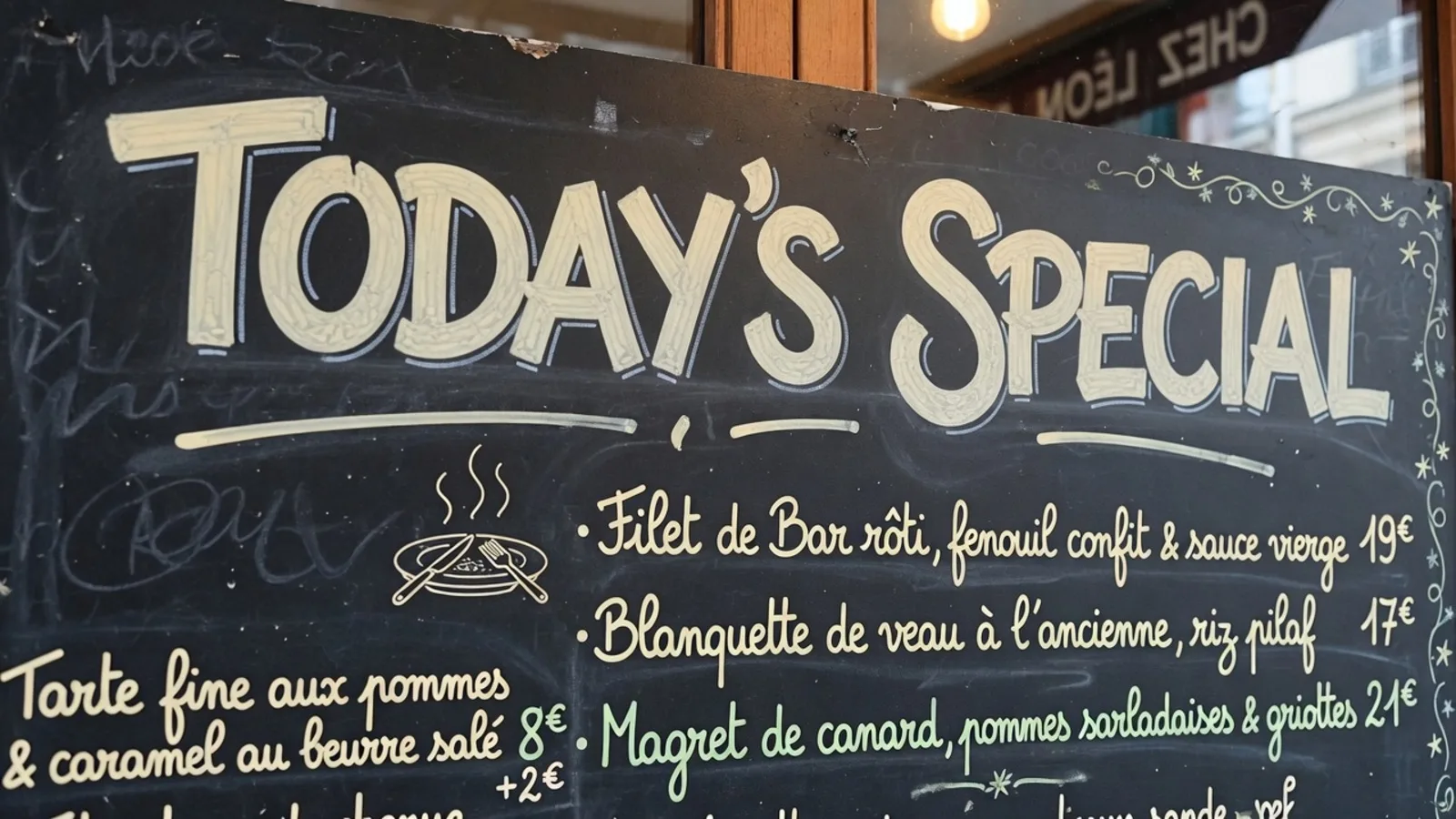
If you have ever pointed your smartphone at a foreign menu only to watch translated words jitter and drift across your screen, you know why people search for alternatives. Most tech roundups bundle every camera translation app into a single generic bucket, treating a live viewfinder the exact same way as a high-resolution file editor. In reality, modern visual translation has split into three distinct technical paths that solve completely different problems.
I frequently see users get frustrated simply because they picked a tool designed for one job and expected it to handle another. Whether you need a quick glance while walking down the street, raw text extracted into your clipboard, or a cleanly repainted image file, your choice hinges on the final output you actually want. Here is how the landscape looks in 2026 and how to match your immediate task to the right solution.
Google Translate Camera
Upload photos to our free online camera text translator for clean in-image translation without jitter.
Three Different Jobs Disguised as Camera Translation
When you search for camera translation, search engines assume you only want an app that uses your phone's lens. That assumption causes headaches because a live camera feed, a character extractor, and an inpainting editor operate on completely different architectures. If you do not separate these workflows before you start, you will either waste time transcribing text by hand or end up with an unreadable screenshot.
The first category focuses entirely on live augmented reality overlays, prioritizing instantaneous speed over visual permanence. The second category handles optical character recognition, stripping away visual styles so you can paste raw strings into documents or dictionaries. The third category processes static image files directly, erasing baked-in typography and painting translated words into the original pixel background.
Category 1: Live AR Overlays for On-the-Go Glances
Live augmented reality tools represent the classic Google Translate camera and Google Lens experience. You launch the app, aim your camera at an unfamiliar street sign or airport departure board, and watch translated words float directly above the real-world scene. These engines rely on real-time computer vision to track physical planes and project translated text as a temporary optical layer.
This approach is unbeatable when you are traveling abroad and need immediate comprehension without saving anything to your device. You can quickly understand whether a subway exit leads to the north terminal or read warning notices pinned to a platform gate. Your device never pauses to produce a polished asset.
The major downside is that live AR viewfinders produce ephemeral previews rather than permanent files. The moment your hand shakes or you lower your phone, the translated overlay disappears, leaving you with nothing to archive or share. If you attempt to capture a screenshot of the live viewfinder, you usually get a blurry image with misaligned text, floating artifacts, and obscured background textures.
Category 2: OCR Copy-Paste for Text Extraction
The second category abandons real-time rendering altogether to focus on optical character recognition. Tools in this group, along with developer platforms built on generic engines like Google Cloud Vision OCR, scan a photo solely to identify glyph boundaries and convert them into plain unicode text. Their mission is data harvesting rather than visual restoration.
You should turn to an OCR copy engine whenever your goal is to extract written content into another program. If you are digitizing physical book excerpts, copying numbers from paper receipts, or transferring printed lecture slides into Google Docs, character extraction is the most efficient method available. It delivers clean strings directly to your clipboard so you can run them through full-sentence translators or store them in your notes.
However, you must remember that OCR engines are strictly text extractors and never in-image painters. They deliberately discard font styling, color palettes, graphic balance, and background scenery during the conversion process. If you feed an illustrated advertisement or an annotated infographic into an OCR tool, you will get back a plain block of text while losing the original graphic entirely.
Category 3: Still-File Inpainting and Pixel Repainting
The third category solves the challenge of modifying static graphics where text and background are permanently fused together. Instead of projecting a floating AR label or dumping raw characters into a clipboard, still-file inpainting engines ingest PNG, JPG, or WebP files, erase the baked-in source typography, and repaint localized words directly into the underlying pixels. This process rebuilds missing textures so the resulting file looks like a native graphic rather than a crude patch.
ReWords belongs strictly in this still-image category as a focused Google Translate Camera alternative for static photographs that demand clean visual restoration. If you work primarily with international marketing assets or imported graphics, you can also use Translate Image to English to replace foreign phrases while preserving the natural lighting and surface details of the shot. Both pathways ensure that you receive a finished, downloadable image instead of an unformatted text transcript.
To understand how this differs from a live viewfinder, imagine snapping a quick photograph of a cafe sign showing a rustic chalkboard MENÚ → MENU. A live AR camera will float the English word over the slate for a split second, while an OCR scanner will simply copy the four letters to your phone clipboard. An inpainting engine, by contrast, removes the original Spanish chalk lettering, synthesizes the slate background behind it, and paints the English lettering using matching chalk texture and tone.
You can process these files through browser-based inpainting where text detection and initial suggestions are free, guest accounts receive one suggestion per job, and generating the final repainted file uses trial credits after login. A lock freezes a detected line of text rather than an editable Photoshop layer. Because pixel reconstruction is a best-effort visual match rather than a lossless typography engine, it does not output proprietary font files, grant legal clearance, or offer unlimited free exports.
This file-based approach also extends beyond physical camera photos to digital graphics. When your input is a clean digital capture from a mobile app, e-commerce dashboard, or gaming interface rather than an environmental photo, relying on a dedicated Screenshot Translator helps preserve crisp user interface borders and flat UI backgrounds.
Choosing the Right Category for Your Task
Selecting the best tool comes down to identifying the specific medium you hold in your hands and what you intend to do with the result. If you are standing on a street corner in a foreign city trying to read a transit map, fire up a live AR camera viewfinder for instant guidance. There is no reason to snap a still file and wait for rendering when all you need is immediate navigational direction.
If you are conducting academic research, archiving business contracts, or preparing a spreadsheet from printed paper documents, route your photos through an OCR character extractor. Copying unicode text straight into your clipboard preserves your ability to edit sentences, search through paragraphs, and cross-reference specialized terminology. Expecting an image repainter to output raw text files will only introduce unnecessary friction into your documentation workflow.
Finally, whenever your finished deliverable must remain an image—such as an instructional diagram, a social media poster, a menu photo, or an annotated product sheet—use still-file inpainting. Trying to take a phone screenshot of an AR translation viewfinder will almost always result in a compromised image with illegible typography and broken background textures. Investing a moment to process the still photo through a specialized pixel painter gives you an asset you can actually publish or archive.
Comparing the Three Translation Approaches
| Feature / Need | Live AR Viewfinder (Category 1) | OCR Clipboard Extractor (Category 2) | Still-File Inpainter (Category 3) |
|---|---|---|---|
| Primary Input | Live device camera stream | Scanned docs, photos, screen clips | Uploaded PNG, JPG, or WebP files |
| Primary Output | Ephemeral on-screen AR overlay | Raw unicode text in clipboard | Repainted, downloadable image file |
| Background Handling | Ignored; floats over real-world view | Stripped away; text only | Reconstructed via pixel inpainting |
| Typography Control | System default font rendering | None; plain text output | Best-effort visual match and alignment |
| Ideal Scenario | Walking, traveling, instant signs | Data entry, research, note-taking | Marketing, menus, posters, UI assets |
As the comparison shows, each approach addresses an entirely different stage of visual communication. Modern machine vision algorithms have advanced significantly, but they remain specialized around these three separate operational models. Recognizing which category matches your immediate project ensures you never waste time fighting a tool built for something else.
The Bottom Line
Searching for the best Google Translate camera alternatives in 2026 is really about knowing what you want to walk away with. If you need a temporary visual guide to navigate an unfamiliar street, stick with a live AR camera viewfinder. If you need editable text to paste into an email or document, let an OCR engine harvest the characters directly to your clipboard.
When your priority is preserving the visual integrity of an image while replacing its text, still-file inpainting is the only method that gets the job done. Matching the right tool to your specific task saves you from blurry viewfinder screenshots and tedious manual retyping. Choose the category that fits your workflow, and let the software handle the technical heavy lifting.