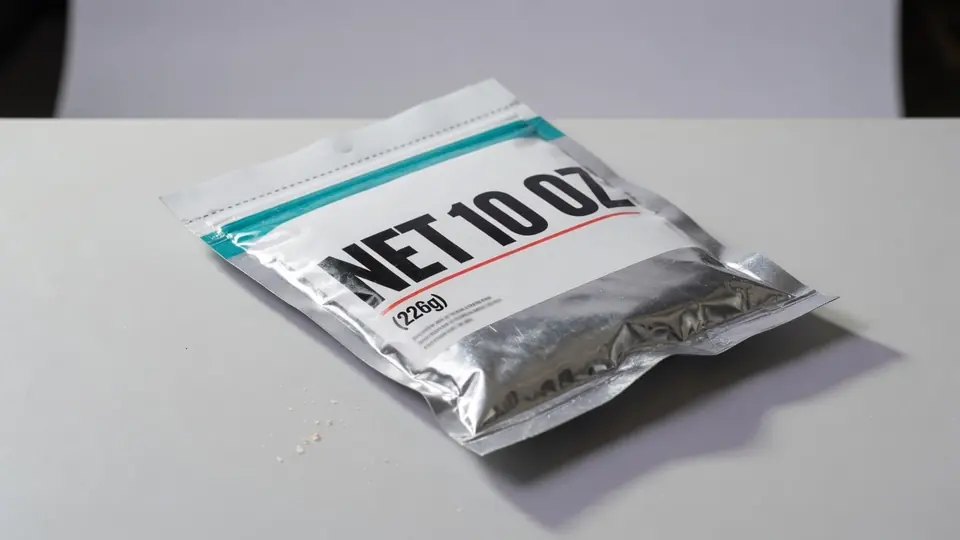
I sat at my desk yesterday afternoon with a high-resolution folding carton mockup open on my screen, facing a sudden retail merchandising change. The digital render showed our front display box branded with a distinct badge reading 12 CT across the lower corner. My sales lead had phoned to explain that the wholesale club approved our placement, provided we doubled the unit count inside the master display.
Locating that 12 CT badge took only a moment, but the original vector working file had vanished during an office migration two years ago. All I possessed was a flattened PNG image exported at full resolution, complete with studio lighting, paperboard texture, and subtle drop shadows. I needed to revise that badge to read 24 CT so our distributor could review an updated presentation deck before morning.
This operational roadblock is why I turn to ReWords AI when handling flattened commercial graphics. The platform is not an online packaging template catalog where you assemble decorative graphics or design folding cartons from scratch. Instead, you upload your own static raster photography, and you type the replacement wording yourself into detected input fields.
Packaging Text Editor
Update claims, volume labels, or piece counts on pouch and box mockups.
Working in Dedicated Vector Software Whenever Files Exist
If your packaging artboards still live inside Adobe Illustrator or Canva, you should close your browser and make adjustments directly inside those applications. Native vector software provides live text boxes, exact kerning controls, scalable outline curves, and uncompressed exports that guarantee crisp industrial reproduction. Nothing replaces the mechanical precision of opening a layered artboard, highlighting a text frame, and typing new characters directly into vector artwork.
Pixel replacement tools exist specifically for moments when original vector assets are missing, archived, or permanently flattened into single-layer pictures. Brand managers and retail vendors frequently receive photographic proofs or standalone marketing images from external agencies where text layers no longer exist. In those situations, rebuilding every gradient, drop shadow, and paper texture in desktop illustration software consumes valuable hours you cannot afford.
That practical divide is where a dedicated Packaging Text Editor proves its everyday utility in modern commercial merchandising. You upload a static picture format such as PNG, JPG, or WebP, and you update visible typography without redrawing the surrounding package structure. It provides a pragmatic bridge between immediate visual communication and final industrial print production.
Understanding Free Trial Credits and Resolution Tiers
We should speak candidly about how exploring this service for free works so you can manage your balance effectively. When you create an account and sign in, you receive free trial credits that allow you to explore the interface and test real packaging assets. There is no unlimited free plan, and there is no automated batch API running behind the scenes.
The optical detection process itself does not deduct any credits from your account balance. You can upload your packaging photograph, review every detected typography block, and confirm the bounding areas across your box panels without spending anything. This zero-cost inspection phase allows you to verify that the system reads your lettering accurately before committing to any pixel generation.
Credit deductions occur only after you type your replacement phrases and press the Generate button to synthesize new surface pixels. Generating a revised image at 1K resolution consumes 10 credits from your balance. If you require sharper visual fidelity for high-resolution displays, selecting 2K resolution costs 20 credits, while full 4K output requires 30 credits.
Because you see the detected text lines before any generation takes place, you maintain total financial control over your allocated credits. You decide whether a standard 1K preview meets your internal review needs or whether a client presentation warrants a 4K generation. This transparent credit tier structure keeps processing predictable across every single carton revision.
Changing 12 CT to 24 CT on Flattened Carton Panels
When you prepare to Edit Text on Packaging, the process begins by dropping your flattened raster file into the browser workspace. The system immediately scans the visual surface, identifying text fragments across the front facing, side panels, and top flaps. Within moments, the detected strings appear in a clear list of editable input boxes beside your visual preview.
In my specific project, the optical engine identified the 12 CT badge positioned just above the bottom carton crease. I clicked into that detected text field, removed the previous number, and typed 24 CT to match our updated merchant package specifications. You provide the exact wording yourself, giving you deliberate control over capital letters, numeral formatting, and punctuation.
If your packaging revision involves removing an obsolete marketing slogan or an extra callout line altogether, you simply leave that identified text field completely blank to erase the row. The synthesis engine automatically clears the unwanted lettering and fills the underlying area using the surrounding paperboard texture. You do not need to construct manual clone stamps or draw awkward patches over the discarded typography.
The engine relies on best effort visual matching rather than external font file installations to recreate your updated phrasing. It analyzes the weight, stroke contrast, slant, and environmental lighting of surrounding characters to synthesize new letters that harmonize with the original design. While this is not an editable vector typography system or a lossless font creator, it yields a cohesive presentation file that looks natural to retail reviewers.
Critical Label Elements That Must Always Stay Locked
Beside every recognized line of text in the workspace interface, you will see a small Lock button. Clicking that Lock toggle secures that specific line against any alterations, guaranteeing that the synthesis engine leaves those exact pixels untouched during generation. This protective feature is essential when handling commercial packaging that features both flexible marketing text and strictly regulated consumer data.
Federal packaging standards require uncompromising accuracy regarding mandatory package declarations and consumer notices. Statues established under the Fair Packaging and Labeling Act require consumer goods to declare exact identity, manufacturer responsibility, and truthful quantity declarations. Altering mandatory measurement statements or package claims on visual assets creates immediate compliance hazards across retail channels.
Similarly, technical declarations concerning product longevity require absolute regulatory rigor. As detailed in standard industrial references on commercial consumer goods shelf life, stability statements, temperature conditions, and durability indicators protect public safety and inventory rotation. For that reason, scientific shelf life declarations and cold chain requirements must never be modified through speculative image editing tools.
Before clicking Generate on your revised layout, you must systematically lock every single regulatory field on the box. Keep your batch identifiers, manufacturer addresses, ingredient statements, dietary claims, and storage cautions firmly locked against alteration. Never attempt to adjust statements regarding low or absent sweeteners, natural flavorings, or temperature handling rules on your marketing photography.
Ensuring Visual Assets Match Physical Warehouse Inventory
You should only edit packaging photographs and digital mockups for products that you personally own, manage, or have explicit permission to modify. Using image manipulation software to alter third-party goods or falsify manufacturing provenance damages business integrity and violates intellectual property principles. The imagery you present to retail buyers, commercial brokers, and consumers must always correspond with physical stock sitting in your warehouse.
When you update an image from 12 CT to 24 CT, that change must reflect genuine operational realities rather than wishful thinking. If an e-commerce buyer places an order based on your revised product image, the physical carton arriving on their dock must contain exactly twenty-four units. Misaligning your rendered product graphics with your physical shipping units inevitably leads to chargebacks, inventory rejections, and canceled vendor contracts.
Packaging graphics also frequently show bundled secondary packs that utilize protective materials like industrial shrink wrap for outer transport. When your commercial items travel in tightly bundled configurations, external carton counts and visible secondary wraps must align across every sales document. Clear, honest product photography ensures smooth distribution from bulk transport pallets down to final individual retail display shelves.
Mastering the ability to Edit Text in Image provides modern merchants with tremendous agility during exploratory product reviews. You can assemble realistic digital mockups, pitch novel unit bundles to key retail accounts, and validate consumer interest before committing to commercial printing runs. However, you should treat the generated raster file as a rapid visual preview rather than a substitute for finished vector press plates.
The Bottom Line
Adjusting typography directly on flattened packaging renders solves an urgent logistical problem when vector source files are unavailable. By typing your replacement wording, locking regulatory lines, and shifting count badges from 12 CT to 24 CT, you keep merchant conversations moving forward without delay. You avoid the heavy overhead of rebuilding complex visual layouts just to preview a routine packaging count change.
Free trial credits upon signing in give you the freedom to test the optical detection system without spending your credit balance. When you decide to generate revised pixels, transparent tiers of 10 credits for 1K, 20 credits for 2K, and 30 credits for 4K keep your costs completely predictable. Use these capabilities responsibly on imagery you own, maintain strict fidelity with physical warehouse stock, and keep your regulatory statements locked at all times.
Sources
- https://en.wikipedia.org/wiki/Shrink_wrap
- https://en.wikipedia.org/wiki/Fair_Packaging_and_Labeling_Act
- https://en.wikipedia.org/wiki/Shelf_life