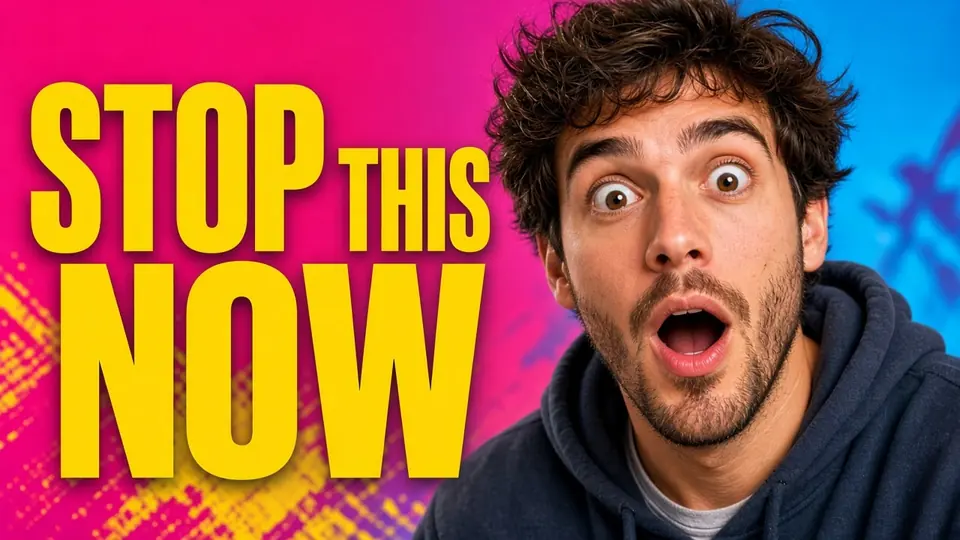
I stared at the finished graphic sitting on my desktop while the upload bar for YouTube crawled forward. The bold typography across the subject's shoulder said WEEKLY VLOG in thick yellow letters with an orange stroke, but my final video edit had turned into a DAY IN MY LIFE format. The original canvas was already closed, the design layers were flattened into a single PNG, and restarting the entire composition felt like an unnecessary delay.
When text is baked directly into the pixels of a raster graphic, you cannot simply highlight the phrase with a cursor. Many creators face this exact wall right before publishing, realizing that a last-minute editorial adjustment requires an update to the primary artwork. You either rebuild the layout from scratch or figure out a way to swap those specific characters directly on the flat artwork.
If you still have your working project file open in Canva or Photoshop, returning to that native canvas is always your best option. Modifying an active text box gives you precise vector control, exact font tracking, and flawless letter spacing that preserves your intended aesthetic. It takes only a quick edit inside your original design document to swap words without disturbing any surrounding background elements.
The real friction begins when that original master file is missing, deleted, or delivered by a collaborator who only provided a flattened graphic. In those situations, opening a flat JPG or PNG in conventional photo editing software forces you to manually clone out the letters and reconstruct the underlying textures. That manual retouching often leaves behind smeared edges, inconsistent lighting gradients, and awkward patches that stand out under close inspection.
A video thumbnail is subjected to heavy compression once it enters a hosting platform's media pipeline. Visual elements that look passable on an uncompressed local canvas can easily degrade when scaled down to smaller display cards across search results and recommendation feeds. Altering flattened letters on such an image requires isolating the exact boundary where character geometry ends and background visual noise begins.
Using a dedicated tool like Edit YouTube Thumbnail Text allows you to target those flattened characters without cutting apart the entire background plate. The software scans the visual canvas to isolate the typographic elements from photographic textures, shadows, and human subjects. This approach isolates the target phrase while protecting the surrounding composition from accidental distortions.
There is an essential difference between scanning an image for text and generating an updated raster surface. When you upload an exported graphic into ReWords AI, the initial optical detection runs without consuming any credits from your account balance. You can inspect the recognized words, verify the bounding regions, and type your desired replacement text completely free of charge.
Many creators wonder why neural synthesis cannot remain without cost for an indefinite number of renders across their daily workload. Running diffusion models to reconstruct underlying textures and paint replacement lettering requires substantial computational capacity on dedicated server hardware. Because these processing resources carry tangible infrastructure overhead, there is no unlimited free generation available on the platform.
To help you test how your custom phrases look on your actual artwork, ReWords AI grants trial credits when you complete your account sign in. These initial credits let you evaluate the synthesis engine on your own files before deciding whether to purchase an ongoing plan. Once those trial credits are exhausted, generating new images requires allocating credits based on the export resolution you choose.
When an image contains multiple headlines, badges, or subtitles, you rarely want an automated tool to alter every single phrase. ReWords AI identifies text on a line-by-line basis and provides a dedicated lock toggle alongside each detected segment. By activating the lock on lines you wish to preserve, you tell the rendering pipeline to leave those surrounding titles, dates, or secondary badges completely untouched.
Once you unlock the specific line you need to adjust, you type the replacement wording into the editor field yourself. The system does not make assumptions about your content, and it does not offer automated linguistic translations or copy suggestions. You retain complete authority over capitalization, grammar, and phrasing, ensuring that your DAY IN MY LIFE text matches your exact editorial direction.
Working through a focused Thumbnail Text Editor gives you a controlled and predictable environment where each text element is handled individually. You can review the recognized characters, type your revision, and confirm which lines remain locked before submitting the render request. This structured verification prevents common synthesis mistakes, such as unexpected character omissions or unwanted background distortions.
Image synthesis tasks in ReWords AI follow a clear and transparent structure determined strictly by output resolution. Generating an updated image at 1K resolution consumes 10 credits from your available balance. This standard tier works well for everyday video thumbnails, social preview cards, and blog headers where standard dimensions meet all display requirements.
If your workflow requires sharper visual assets for modern high-density screens, you can opt for the 2K resolution tier, which costs 20 credits per generation. Selecting 2K provides crisper character edges and smoother texture transitions across detailed background areas. For portfolio archives, large hero displays, or ultra-sharp promotional graphics, the 4K tier requires 30 credits to handle the substantial computing workload of rendering high pixel densities.
These higher resolution tiers demand significantly more processing time and memory allocation to synthesize clean edges and uniform atmospheric lighting. Deciding which tier to use depends entirely on where your finished visual asset will be presented to viewers. Matching your export resolution to your actual display context ensures that your trial and purchased credits are used efficiently across your creative schedule.
When ReWords AI renders your replacement words, it inspects the visible aesthetic qualities established in the original graphic. The model studies apparent color palettes, gradient transitions, edge outlines, bevel angles, surface shadows, and ambient illumination to match the visual character of the original text. The synthesis engine then draws the new letters directly into the scene so that they blend naturally with the surrounding composition.
It is vital to understand that this rendering process does not extract, modify, or package true font files such as TTF or OTF assets. The software does not promise lossless typographic reproduction or mathematically identical vector geometry. Instead, it provides a best-effort visual approximation designed to keep the visual tone consistent with the rest of your cover art.
For creators who need to update words on static visuals beyond video covers, Edit Text in Image operates under the exact same technical principles. It allows you to revise outdated event dates, seasonal slogans, or promotional banners on flat graphics without searching for lost font files. You achieve a harmonious visual revision that respects the mood and composition of the artwork without starting over.
Automating typographic revisions on flat images provides significant workflow convenience, but it is not intended for every creative scenario. ReWords AI is designed for deliberate, single-image adjustments rather than automated bulk processing. There is no batch API available for bulk content creation or programmatic graphic assembly across large catalogs.
Furthermore, updating the text on your cover graphic is simply an editorial refinement rather than a promise of platform distribution. The performance of any creative asset depends on viewer interest, narrative pacing, audio clarity, topical relevance, and editorial consistency. ReWords AI gives you a practical method to alter baked text on flattened artwork, but it makes no claims regarding viewer numbers, audience growth, or search rankings.
Treating your graphic adjustments as an honest craft keeps your production expectations grounded and manageable. When you encounter an obvious typo or an editorial pivot on an exported graphic, modern visual synthesis saves you from having to reconstruct an entire design file from scratch. It bridges the gap between static raster files and shifting editorial needs without adding unnecessary complexity to your daily workflow.
Edit YouTube Thumbnail Text
Change titles, hooks, or numbers on covers with our free online YouTube thumbnail editor.
The Bottom Line
Discovering an outdated headline on an exported image right before publication does not mean you must spend your afternoon rebuilding an entire canvas. When your source project files in Canva or Photoshop are still on your drive, returning to edit the native text layer remains the most precise solution. When you only possess a flattened PNG or JPG, ReWords AI offers a reliable alternative by letting you detect text for free and type your replacement wording manually.
By locking the lines you wish to preserve, selecting the appropriate tier between 1K, 2K, and 4K resolution, and using trial credits upon sign in, you can update stubborn graphics without unexpected friction. The platform delivers a best-effort visual match rather than true font replication, offering a practical remedy for everyday editorial updates. You maintain complete control over your creative output, keeping your publishing calendar on track without wasted effort.
Sources
https://zhuanlan.zhihu.com/p/2042181678433658606 https://en.wikipedia.org/wiki/Post-production https://en.wikipedia.org/wiki/B-roll https://en.wikipedia.org/wiki/Chroma_key