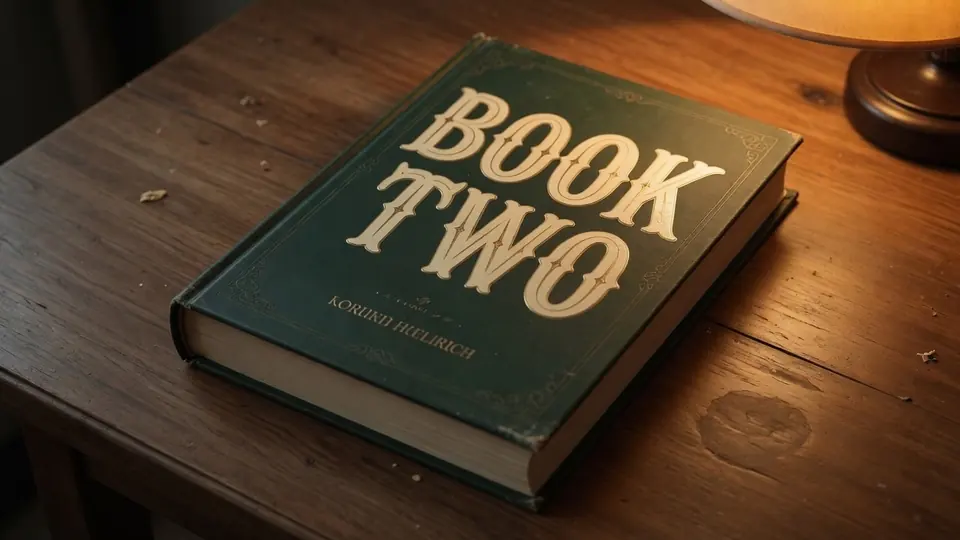
I opened my downloads folder yesterday evening to prepare a promotional banner, only to realize my final export had the subtitle line reading BOOK ONE permanently baked into the background artwork. The original layered production archive was stored on an unmounted hard drive in another building, leaving me staring at a single flattened PNG image. I needed that teaser card updated to announce BOOK TWO before scheduling our upcoming announcement campaign.
Opening the graphic in a conventional image viewer presented me with two frustrating manual options: smudge the dark paper grain with a clone stamp or paste an awkward rectangular color block across the typography. Both crude workarounds would have destroyed the subtle paper texture, foil sheen, and gradient shading across the canvas. If you have ever been stranded with an exported raster file when an immediate editorial update arose, you understand that helpless feeling.
Edit Text on Book Cover
Update author names, reviewer blurbs, and taglines on finished book covers.
When to Return to Your Source Layout Files
Before I explore any raster editing utility, I always advise creators to check their project archives first. If your jacket artwork still exists inside Adobe InDesign, Affinity Publisher, or Canva with active typography layers intact, you should immediately return to that native application and edit the text frame directly. Modifying rendered pixels on an exported picture should always remain a secondary alternative reserved exclusively for situations where source files are completely unavailable.
Vector typography inside an active layout document will always produce the cleanest possible geometric rendering during plate output and digital distribution. Flattened raster editing exists specifically to rescue orphaned files, social media promotional teasers, or digital mockups when the primary design bundle is out of reach. When you only possess a merged bitmap, relying on a specialized pixel editor becomes your sensible path forward. This practical distinction saves authors countless hours of rebuilding entire cover compositions from absolute scratch.
Critical Publishing Rules and Ethical Boundaries
Whenever you modify book graphics, strict ethical and legal boundaries must govern your choices. You should only ever alter exported graphics or physical proof photographs that you created yourself or have documented authorization to revise. Never use pixel alteration tools to tamper with the published work of other writers, and you must never alter the primary author attribution name on any cover design.
There are critical metadata zones on a book jacket that must remain completely untouched. You should never edit registered ISBN numbers, retail barcodes, or publisher copyright notices displayed across the back flap or colophon. Furthermore, if your title is already actively circulating through retail bookstores, any promotional photograph you share must strictly mirror the physical reality of the printed volume.
What Tool Can Actually Modify Rendered Cover Typography?
When creators ask what tool can handle baked-in typography, they are often surprised to learn about specialized neural text inpainting. Instead of functioning as a generic template warehouse where you download stock artwork, a dedicated system like ReWords AI analyzes the rasterized words directly inside your uploaded graphic. When you need to Edit Text on a Book Cover, the platform isolates the pixel coordinates of the existing lettering and blends your replacement characters directly into the native background.
The system is not an unlimited free generation portal, nor does it provide a bulk programmatic API for automated mass processing. Instead, it serves independent authors, layout artists, and production editors who need a focused workspace for static graphics. You provide your own replacement phrasing by typing into an input box rather than selecting prefabricated design presets. This dedicated focus allows you to maintain full creative authority over every individual letter and line placement.
Inspecting and Editing Text on the Canvas
The workflow begins when you import a static file formatted as a PNG, JPG, or WebP graphic into the editor workspace. Running the initial detection pass costs zero credits from your account, which allows you to inspect every recognized line before committing to any synthesis. If you want to Edit Text in Image surfaces reliably, reviewing these automated boundary boxes ensures the engine properly understands the composition.
One crucial feature inside the interface is the Lock toggle, which lets you freeze specific lines so the neural rendering engine leaves them completely untouched. Leaving the replacement text field completely blank cleanly removes that selected line from the canvas without introducing replacement lettering. In my series banner scenario, I locked the overarching volume title, locked the genre tag, and focused solely on swapping the series numeral line.
Once you type your replacement words into the active field, the engine evaluates surrounding lighting angles, surface textures, and color values. It then synthesizes the new characters to integrate seamlessly with the existing visual environment. This direct text replacement approach eliminates the tedious chore of manual background reconstruction.
Account Credits and Resolution Tiers
Understanding the platform credit economy helps you plan your design revisions without surprises. Every newly registered account receives complimentary trial credits upon logging in so you can test the interface on your own image files. When you decide to generate an updated visual, credit consumption scales strictly according to your selected export resolution.
Generating an image at 1K resolution requires 10 credits, generating at 2K resolution requires 20 credits, and generating at high-fidelity 4K resolution requires 30 credits. Because text detection remains completely free of charge, you can test various source files and inspect identified bounding areas without spending your balance prematurely. This predictable structure ensures you only spend credits when you are ready to produce a finished raster download.
Technical Realism and Visual Matching Limitations
It is vital to maintain realistic expectations regarding what neural image manipulation can achieve. When you use a dedicated Book Cover Text Editor, the platform performs a best-effort visual match against the geometry and lighting of the original letters. The system does not analyze an image to extract an installable font file for your operating system.
Furthermore, because the output is reconstructed as a flattened bitmap, it does not provide mathematically lossless vector curves. For promotional graphics, web banners, and digital announcement cards, this contextual raster synthesis delivers convincing visual coherence. The generated characters adopt the subtle surface grain, lighting gradients, and color warmth of the surrounding book jacket.
Handling Flattened Proofs and Camera Photographs
I frequently see creators working with two distinct categories of imagery: digital export files and photographic captures of physical sample copies. Clean digital exports generally yield predictable boundary detection because the lettering rests on a flat digital canvas without lens aberration. When you work with camera photographs of an actual printed volume, physical variables introduce additional complexity into the image.
Paper curvature along the spine, studio lighting glare, and slight perspective angles alter how characters appear across the cover surface. A capable inpainting engine accounts for these ambient illumination shifts when rendering the new text phrase into place. You must ensure your camera shot is sharp and evenly lit before uploading it, as blurry or heavily shadowed pictures hinder boundary detection.
Practical Preparation for Publication Graphics
To achieve the cleanest possible result on your promotional graphics, careful file preparation remains an essential prerequisite. Always begin by sourcing the highest-resolution raster export available in your local storage archives. Uploading an uncompressed PNG graphic preserves sharp typographical edges and prevents noisy artifacts from confusing the detection pass. Taking a moment to verify image clarity before upload will consistently improve your final visual output.
Double-check your spelling and punctuation before committing your credits to a high-resolution generation pass. Keeping your replacement phrase close in character length to the original text line also helps maintain natural spatial balance across the cover design. Following these simple preparation habits ensures your updated announcement graphic looks professional and publication-ready.
The Bottom Line
When you find yourself stuck with a flattened graphic where source design layers are permanently lost, specialized raster inpainting provides a reliable solution for updating key phrases. Remember to prioritize editable InDesign or Canva files whenever they remain accessible, and honor ethical boundaries by modifying only your own authorized promotional graphics. With free text detection, precise line locking, and resolution-based credit pricing, you can update series numbers and subtitle lines on static book graphics without starting from scratch.
Sources
- https://en.wikipedia.org/wiki/Book_series
- https://en.wikipedia.org/wiki/Title_page
- https://en.wikipedia.org/wiki/Publishing