Your store is launching a new product line. The imported packaging is entirely in a foreign language, and you need to display the key selling points in the local market language. Or the promotional text on the old packaging has expired and you need to align it with the new campaign. Or maybe a supplier tracking code accidentally made it into the product photo and you need to blur it out.
You fire up Photoshop, make a selection, clear the old text, patch the background, type in the new copy, adjust perspective, and rebuild the shadows. Looks clean. But here's what you probably haven't considered: once that edited packaging photo lands on your product detail page, it stops being "an image" and becomes "a product information disclosure document."
This is the most overlooked truth about editing text on e-commerce packaging photos: you're not retouching an image. You're making a statement to consumers about a product. And under the FTC's truth-in-advertising standards, the EU Consumer Protection Directives, and all the major platform policies, "statements" are held to a much stricter standard than "retouching."
This article isn't going to teach you which tool to use to make text look pretty — there are plenty of tutorials for that. What this article answers is: in an e-commerce context, which text edits are legally safe and which aren't; what legal and platform risks different edits trigger; and what technical approach and workflow make sense at different project scales.
Packaging Text Editor
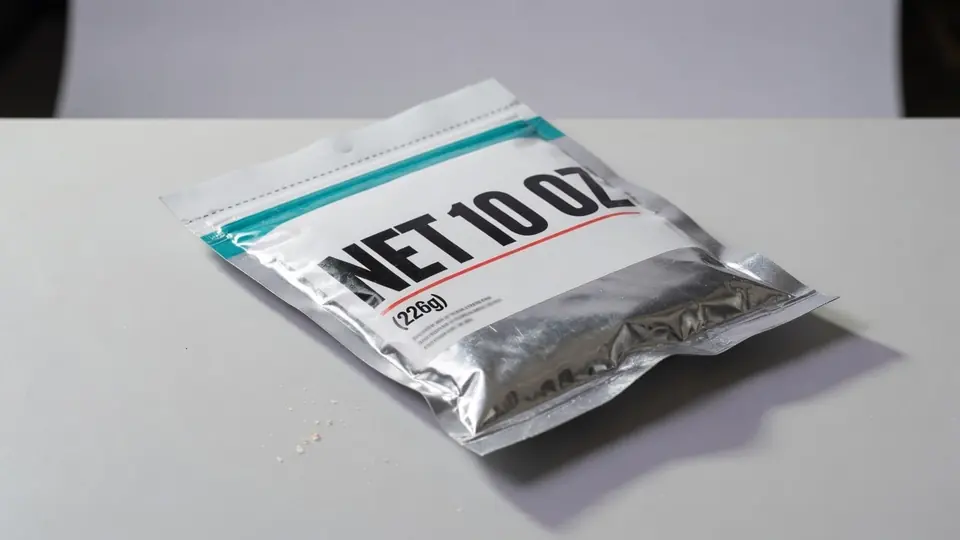
Update claims, volume labels, or piece counts on pouch and box mockups.
First, Identify What Kind of Edit You're Making
Packaging photo text edits fall into four categories, each with a fundamentally different risk profile:
Category 1: Redaction/Removal. Deleting tracking codes, phone numbers, channel prices, internal logistics codes. These edits are relatively low-risk by nature — the goal is "reveal less information," not "amplify marketing claims." The watch-out: don't accidentally remove mandatory label information (manufacturing date, license numbers, etc.).
Category 2: Translation/Annotation. Adding local-language explanations to foreign-language or minority-language packaging. The safest approach here is counterintuitive: don't replace the original text on the packaging. Instead, add a translation callout box next to the image, clearly labeled with a disclaimer like "Translation for reference only; the actual packaging and statutory label prevail." This "annotation-style translation" is far safer than directly overwriting the original packaging text, because you're not altering what the packaging presents — you're only adding an explanation layer.
Category 3: Replacement/Update. Swapping out promotional text, localizing brand copy, or updating between old and new packaging versions. This is the most common commercial case and also the most dangerously underestimated one. If you change the promotional text on the photo but the buyer receives packaging with the old copy, that's "description mismatch." Under Amazon's A-to-z Guarantee or eBay's Money Back Guarantee, when a buyer receives a product inconsistent with the listing description, the platform adjudicates based on the listing images, supporting documents, and photos of the actual item received.
Category 4: Label Supplementation/Compliance. Adding statutory labels or compliance information to product images. The paradox here: by displaying a "compliant label" on the image when the physical product doesn't carry it, you're creating a discrepancy where the photo shows compliance but the delivery doesn't. This is especially sensitive for food and cosmetics. The EU Cosmetics Regulation (EC) No 1223/2009 requires that cosmetic products be labeled with mandatory information including the responsible person, nominal content, date of minimum durability, precautions for use, batch number, function, and ingredient list. For the US market, the FDA's cosmetics labeling regulations under the Fair Packaging and Labeling Act mandate that cosmetics labels include an ingredient declaration, net quantity of contents, identity statement, and name/place of business.
The Legal Baseline: It's Not About Aesthetics, It's About Truthfulness
The legal framework governing e-commerce across major markets can be summarized in one blunt question: does this photo give consumers an accurate understanding of what they're actually buying? If not, you have a problem.
The FTC Act (Section 5, 15 U.S.C. § 45) prohibits unfair or deceptive acts or practices, and the FTC's Truth-In-Advertising guidelines require that advertisements be truthful, not misleading, and backed by evidence. The EU Unfair Commercial Practices Directive (2005/29/EC) prohibits misleading actions and omissions, requiring traders to provide material information consumers need to make informed decisions. The EU Consumer Rights Directive (2011/83/EU) mandates that pre-contractual information — including the main characteristics of goods — be clear and comprehensible.
Full legal texts are available from the FTC Business Guidance portal and the EU EUR-Lex database.
Translated into operational rules, these laws produce a straightforward "do-not-edit" checklist:
| Field | Default Rule | Exception Condition |
|---|---|---|
| Efficacy claims | Do not edit | Backed by statutory test reports and registration/filing documents |
| Ingredients/Specifications | Do not edit | Physical product has been changed with supporting filing/test evidence |
| Manufacturing date / Shelf life | Do not edit | Absolutely never alter at the image level |
| Place of origin | Do not edit | Supported by legal source documentation |
| Certifications/Awards/Honors | Do not edit | Valid certificates, authorized for use |
| Regulatory label content | Do not edit | Physical product carries the label, consistent with filing |
| Promotional copy | Edit with extreme caution | Physical packaging has been simultaneously updated, or campaign is active |
| Tracking codes / Phone numbers | Can be removed | As long as statutory mandatory info is untouched |
There's a trap here that's easy to miss: even if you "only changed the promotional copy" in the image, the moment that image influences a consumer's purchasing decision, it enters the scope of legal scrutiny. Under the FTC's truth-in-advertising framework and the EU's Unfair Commercial Practices Directive, product images, listing descriptions, and marketing claims — whenever they shape a consumer's key understanding of the product — constitute representations about the product that must be truthful, not misleading, and substantiated. In short: what you show is what you're obligated to deliver.
If the packaging edit involves food products, you additionally face the mandatory labeling requirements under the FDA's general food labeling regulations (21 CFR 101) — including the ingredient list, manufacturer and distributor information, net quantity, and nutrition facts. In the EU, Regulation (EU) No 1169/2011 on food information to consumers mandates comprehensive labeling including ingredient list, allergen information, date marking, storage conditions, and country of origin. For cosmetics, the EU Cosmetics Regulation (EC) No 1223/2009 and FDA cosmetics labeling regulations establish strict consistency requirements for what appears on the label versus what is registered or filed.
Platform Rules: What Amazon, eBay, and Etsy Actually Enforce
Each of the major international platforms takes a distinct stance on packaging text editing:
Amazon: "Main images can't even have text on them." Amazon Seller Central's official product image requirements mandate that images accurately represent the actual product for sale, and main images must not include text, logos, borders, watermarks, or other graphics. This means the playground for packaging text editing is naturally restricted to secondary images and A+ Content. Amazon's A-to-z Guarantee further means that when a buyer receives a product inconsistent with listing images, they can file a claim — and the listing images you edited are the benchmark the platform judges against.
eBay: eBay's product image policy requires that images accurately depict the item for sale. Stock photos may be used for new, sealed items, but for used or open-box products, actual photos are mandatory. eBay's Money Back Guarantee means if the item doesn't match the listing — including the photos — the buyer gets a refund. Every packaging edit you make is a potential dispute trigger.
Etsy: Etsy's seller policy requires that listing photos accurately represent the item. For handmade and vintage goods, accurate images are especially critical because buyers rely heavily on photos to assess uniqueness and condition. Etsy's case system resolves disputes based on whether the item matches its listing — including all images.
There's one more practical constraint worth noting: generative AI features in creative tools may be subject to regional availability restrictions and evolving terms of service. If your production team operates across multiple regions, verify that your chosen tools' AI features are available and licensed for commercial use in all the jurisdictions where your team works.
Prioritizing Use Cases: Not Every Edit Is Worth Doing
Ranked by the formula "business necessity × legal exposure surface," here's a priority table you can use directly for project scoping:
| Scenario | Priority | Primary Value | Primary Risk | Recommended Approach |
|---|---|---|---|---|
| Sensitive info removal | High | Reduce privacy/channel leak risk | Accidentally removing statutory info | Proceed; retain originals, mark edited areas |
| Compliance label addition | High | Improve compliance presentation | Photo shows compliance, physical product doesn't | Only when physical product is already compliant |
| Translation / annotation | Medium-High | Reduce consumer comprehension friction | Translations overstate efficacy | Prefer annotation-style; avoid direct text replacement |
| Brand localization | Medium-High | Improve local market recognition | Insufficient trademark/trade dress authorization | Requires joint approval from brand owner + legal |
| Promotional copy replacement | Medium | Faster campaign listing | Expired promotions, inaccurate freebies | Use standalone campaign badge; don't alter packaging body |
| Old-to-new version switching | Medium | Inventory clearance / pre-sale / version transition | Buyer receives old version → description mismatch | Must establish version gating + inventory isolation |
| Exaggerating efficacy/certs/specs | ❌ Not Recommended | Short-term conversion temptation | High legal risk, high penalty probability | Default to no |
Four scenarios stand out as highest-risk and deserve to be called out separately: (1) strengthening efficacy claims, especially involving therapeutic, weight-loss, antibacterial, or anti-inflammatory implications; (2) rewriting specifications, ingredients, certifications, origin, or manufacturing dates to be more sales-friendly; (3) publishing images of new packaging that hasn't actually been produced yet as if it's ready for sale; (4) performing "localized image editing" on another brand's packaging, trade dress, or trademarks without authorization.
Technical Approaches: From 10 Images to 10,000
Different scales demand fundamentally different technical strategies. What follows isn't a tool tutorial — it's a project management lens on how different approaches trade off visual accuracy, auditability, and throughput.
Approach 1: Manual Precision Retouching (10–100 images)
Desktop tools like Photoshop, Affinity, and GIMP. Manual selection, clearing, background patching, text retyping, layer-by-layer perspective and lighting blending.
This is the slowest path, but often the most legally solid, most visually solid, and most auditable. Every step leaves layers, versions, and approval records behind. For regulated categories (food, cosmetics, baby products) and main images where mistakes are unforgivable, manual retouching remains the gold standard.
Approach 2: Semi-Automated Templating (1,000–10,000 images)
Build a SKU master data table and copy source table first. Use OCR (such as PaddleOCR, Tesseract) to extract original text, pull target copy from the master data, apply region detection and batch scripts for text removal and repair, and finish with mandatory human review of every single image.
The key enabler here isn't AI brilliance — it's a rules engine that blocks all "do-not-edit" fields, with human final review as the safety net. For projects with uniform packaging templates, fixed layouts, and many SKU variants, this route offers the best cost-to-quality ratio.
Approach 3: AI-Assisted Repair (supporting role for complex backgrounds)
Use text erasure models to remove old text, then inpainting models to reconstruct the background. Academic models like LaMa, SRNet, and AnyText solve for "visual plausibility," not "legal correctness." They're powerful for posters, street signage, and creative assets — but on regulated product packaging, they serve only as accelerators. They cannot be allowed to publish without human review.
Approach 4: Mobile/Lightweight Quick-Edit Tools (operational lightweight needs)
Tools like Canva, Pixelcut, and PhotoRoom are practical for simple text removal, background unification, and rapid e-commerce secondary image production. They're easy to pick up and template-driven. However, their control over complex reflections, foil stamping, embossed textures, transparent bags, curved bottles, and very small fonts falls short of desktop professional tools. Suitable for rapid iteration on "marketing layers" — not suitable for precision editing of "statutory label layers."
Technical Approach Comparison Matrix
| Approach | Visual Accuracy | Throughput | Auditability | Best Fit |
|---|---|---|---|---|
| Manual precision | High | Low | High | Regulated categories, main images, high-controversy projects |
| Semi-automated templating | Medium-High | High | High | Multi-SKU, stable-layout mid-scale projects |
| AI-assisted repair | Medium-High | Medium-High | Medium-High | Complex backgrounds with standardized copy |
| End-to-end AI text swap | Medium | High | Medium | Creative previews, mockups — not for regulated main images |
| Mobile quick-edit | Medium | Medium | Medium-Low | Operational quick fixes, social media secondary images, non-critical layers |
Workflow: A Compliance Loop from Capture to Publish
The safest way to organize a project isn't "designer grabs the image and starts editing." It's separating copy source, image source, legal review, image editing, and final audit trail into distinct stages. This workflow works for most cross-border e-commerce projects:
Capture & Collection
    ↓
Raw File Ingestion (preserve metadata, capture timestamps)
    ↓
SKU & Packaging Version Tagging
    ↓
Copy Source Data Verification (pull approved target copy from product master data)
    ↓
Involves statutory labels / efficacy / specs / certifications?
    ├─ Yes → Legal or Category Compliance Review
    └─ No  → Design Editing Queue
                ↓
OCR-assisted original text extraction / Region masking / Text removal / Background repair
    ↓
Text Replacement & Visual Integration (perspective, shadows, reflection correction)
    ↓
Manual Proofing (character-by-character comparison, 100% and 200% zoom inspection)
    ↓
Delta Comparison & Evidence Archiving (original vs. edited vs. approval records)
    ↓
Platform-Spec Export
    ↓
Pre-Publish Review
For the quality check stage, nail down these four acceptance criteria:
- Text layer accuracy: Character-by-character match with approved source copy — numbers, units, batch codes, specifications, shelf life, warnings, full ingredient lists, execution standards. Zero tolerance for deviation.
- Visual layer authenticity: No visible seams, texture repetition, shadow direction errors, reflection breaks, or loss of foil-stamping texture at 100% and 200% zoom.
- Business layer consistency: The packaging version in the image matches the actual version in the warehouse. Promotional text matches active campaign timing. Freebies match SKU rules.
- Archive layer completeness: Original image, editable source file, exported deliverable, approval form, version number, and publication timestamp — all fully traceable.
For mid-to-large scale projects, consider further separating your asset library, product master data, OCR engine, image engine, rules engine, and audit database into independent components. The goal isn't architectural vanity — it's being able to prove, when a dispute arises, "who changed which line of copy, from what to what, based on what authority, and when." Under the FTC's substantiation doctrine and the EU's General Product Safety Regulation (GPSR), sellers bear the burden of demonstrating that their product representations — including listing images — are accurate and substantiated. If packaging photos qualify as product representations, the more complete your audit trail, the stronger your compliance position in any regulatory inquiry or platform dispute.
Tool Selection: It's Not About the Price Tag, It's About Controllability
If I had to give one-sentence tool selection advice: small scale → Photoshop or Affinity for manual precision retouching; medium scale → build a "PaddleOCR + human final review" pipeline; operational quick-edit teams → Canva or PhotoRoom; ultra-low-budget teams → GIMP or Photopea, but don't let them handle main images for regulated categories.
One practical constraint worth emphasizing: AI-powered features in commercial tools may vary by region, and some generative AI outputs may carry unclear commercial-use licensing terms. For production pipelines where legal defensibility matters, open tool stacks (such as OpenCV's inpaint or locally deployed open-source models) offer more predictable availability and license clarity.
For lightweight needs, AI text replacement tools — which specialize in changing text on finished images while preserving font and styling — can handle "change a few characters while keeping the font the same" tasks quite well, handy for operational teams producing social media graphics. But for professional requirements involving precise path control and statutory compliance review, you still need a full workflow.
The Real Cost of These Projects
For a small pilot (10–100 images), plan for 1 designer/retoucher, 1 operations/product administrator, and 0.2–0.5 FTE legal/compliance support. Timeline: approximately 1–2 weeks. Direct budget: roughly $700–$4,000, with the bulk going to manual review labor rather than software fees.
For a medium-scale project (1,000–10,000 images), plan for 1 project manager, 2–4 image processors, 1–2 product data/copy engineers, 1 QA, and 0.5–1 FTE legal/category compliance. Timeline: 4–10 weeks. Direct budget: roughly $11,000–$70,000+.
What drives the cost isn't the software — it's three things: the proportion of regulated categories, the complexity of packaging versions, and the rigor of the final review bar. If most images just swap "old campaign badge" for "new campaign badge," costs trend toward the lower bound. If most images involve food/cosmetics regulatory labels and complex curved bottle surfaces, costs rise quickly toward the upper bound.
Summary: Three Iron Rules
This report's conclusions distill into three immediately actionable rules:
Rule 1: Factual corrections are okay; descriptive reshaping is dangerous. Redacting tracking codes, removing sensitive info, and adding compliance labels that are actually on the physical product — these make the photo "closer to the truth" and are acceptable, provided you keep an audit trail. Rewriting promotional claims, efficacy language, certifications, or ingredient lists to make them more sales-friendly — unless backed by statutory evidence, test reports, registration/filing documentation, and mass-produced physical products, these should not be published.
Rule 2: Platforms don't ban retouching — they ban "retouching it into a different product." No platform — not Amazon, not eBay, not Etsy — prohibits image editing per se. What they all prohibit is "image not matching the actual product." The compliance boundary for packaging text editing is drawn exactly on that line.
Rule 3: AI solves for "looks real," not for "is legally correct." Whether you're using LaMa to reconstruct backgrounds or AnyText to generate new text, academic models optimize for visual plausibility, not legal truth. On regulated product categories, the risk of end-to-end AI publishing without human review still outweighs the benefit. The safest approach remains unchanged: treat "factual consistency + layered audit trail + human final review" as your non-negotiable baseline.
Try ReWords AI
Edit text already in a finished image in your browser: open ReWords AI (free trial image edit after sign-in).