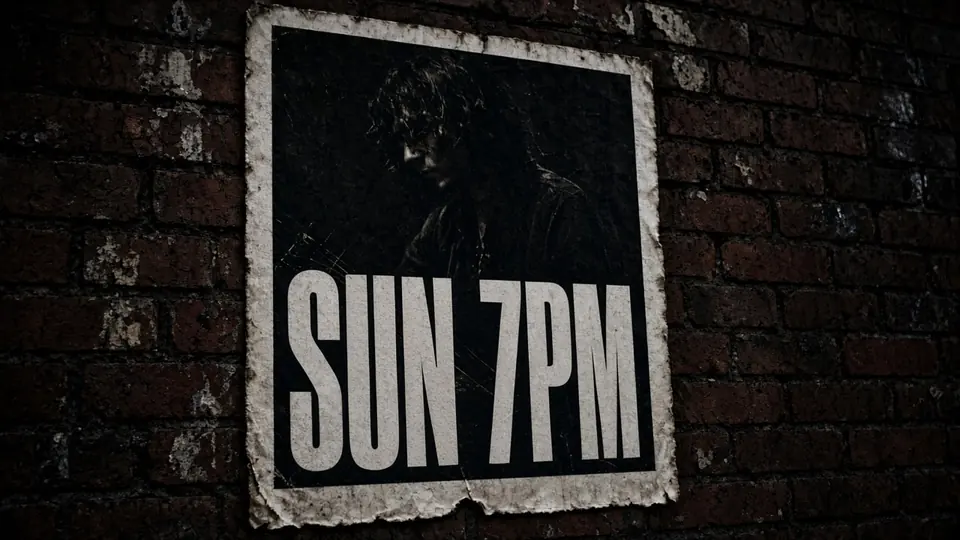
It was late Thursday afternoon when our growth team decided to extend our promotional campaign through the weekend. Our primary display graphic was already live across several ad placements, showing heavy headline text that read "SALE ENDS FRI" set against a dark textured background. The agency designer who created the visual was offline for the week, and the original layered files were locked inside an archived cloud folder.
All I had in my local downloads folder was a flattened 2K WebP export from the initial launch. Recreating the entire design from an empty canvas would have taken valuable time that our campaign schedule could not spare. I needed a direct way to update that deadline from "SALE ENDS FRI" to "SALE ENDS SUN" on the exported graphic without ruining the surrounding visual elements.
Banner Text Editor
Edit headlines and CTAs on display ads using our free online banner text editor with font matching.
The Golden Rule: Source Files Always Come First
Before you attempt to modify any raster image, you should always check whether your source design assets are still accessible. If you have the layered Photoshop file, Figma canvas, or vector illustration, you should open that project and update the text layer directly. Modifying pixels on an already exported graphic should always remain your triage solution when native files are lost or unavailable.
Once an image is exported to a flattened format, typography stops behaving like selectable text. The letterforms blend into neighboring pixels, merging with gradients and background noise. That bottleneck is why I use a dedicated Banner Text Editor for flattened campaign creative. Instead of erasing old characters manually, neural inpainting identifies the target phrase and synthesizes replacement letters into the background.
Understanding Free Detection and Trial Credits
Many creative platforms claim to offer free image editing, only to demand credit card details before you can even test their tools. At ReWords AI, the initial exploration is genuinely accessible because text detection costs zero credits. You can upload your flattened graphic, let the optical scanner identify every text block, and review the detected bounding boxes without spending any balance.
Once you register and sign in, you receive trial credits to test actual generation tasks on your own promotional banners. We do not pretend to offer unlimited free generations, because running high-resolution diffusion models requires substantial GPU infrastructure. Providing trial credits gives you a transparent way to evaluate the visual quality on real marketing creative before making any broader commitments.
Fixed Credit Costs: 1K, 2K, and 4K Resolutions
When you confirm your replacement text and trigger a render, credit consumption depends entirely on the canvas resolution you choose. Rendering higher resolutions requires larger latent space grids and more memory to synthesize surrounding textures cleanly. To keep pricing straightforward, credit costs follow three fixed tiers: 1K, 2K, and 4K.
For standard web graphics generated at 1K resolution, each task costs exactly 10 credits. This tier is well-suited for smaller affiliate banners, mobile display ads, and compact social graphics where file size must stay minimal. It delivers clean letter replacement without consuming higher credit tiers when extra resolution is unnecessary.
When you need sharper definition for desktop website headers or retina screens, generating at 2K resolution costs 20 credits. That was the tier I selected for my "SALE ENDS FRI" graphic, which required crisp rendering against its textured backdrop. For large digital displays or channel headers, generating at 4K resolution costs 30 credits. The fixed 10, 20, and 30 structure lets you plan credit usage with total clarity.
Changing "SALE ENDS FRI" to "SALE ENDS SUN"
Once your flattened image is uploaded, the workspace displays highlighted bounding boxes over every detected line of text. When you need to Edit Text in Image assets, you simply click on the specific text block you want to revise. The platform does not alter words automatically, meaning you maintain complete editorial control over your copy.
In my session, I selected the box highlighting "SALE ENDS FRI" and typed "SALE ENDS SUN" directly into the replacement text field. The system generates whatever characters you enter, so double-checking your spelling and capitalization is essential. The model analyzes the original letterforms to reproduce a matching typeface aesthetic, including stroke thickness, perspective, and color gradient.
If your banner has an outdated secondary tagline, you can leave that replacement field blank to remove that line completely. You should also use the Lock tool, which secures any identified line so that it remains unchanged during rendering. Locking protects your brand logos, secondary prices, and legal copy from being altered while the headline is updated.
Best-Effort Matching Versus Installed Fonts
It is important to remember that generative inpainting operates on visual context rather than digital font files. The system performs best-effort visual matching by examining the surrounding pixels, perspective angles, and lighting highlights. It does not load an actual OpenType or TrueType font file, nor does it convert your image into scalable vector curves.
Because the result is synthesized directly into the raster grid, it is not a lossless typographic file. If strict brand guidelines require mathematical kerning precision or proprietary typefaces, recreating the design in a native vector program remains the proper choice. However, for time-sensitive campaigns where visual coherence is the primary goal, best-effort matching delivers natural, convincing results.
The platform works with static images, supporting PNG, JPG, and WebP uploads and exports. There is no automated batch API, which means each banner receives deliberate individual review. When you Change Text in Image files using inpainting, you choose practical operational agility over vector flexibility to keep campaigns moving.
Reviewing the Output Before Campaign Deployment
After the generation process completes, download the revised file and review the edited area at full magnification. Inspect the boundaries around "SALE ENDS SUN" to ensure that the letter edges integrate smoothly into the background pattern without awkward blurring. Clean edge contrast is essential for maintaining readability across different screen resolutions and display environments.
Next, place the updated graphic beside the original flattened file for side-by-side inspection. The replacement lettering should share the same shadow depth, surface grain, and lighting direction as the original phrase. Because we locked neighboring text elements earlier, surrounding layout details and secondary artwork remain intact.
Practical Scenarios for Editing Flattened Creative
Marketing teams frequently encounter flattened assets when coordinating promotions across distributed agencies and freelance partners. Contracted designers may be in different time zones, and archived creative files often become difficult to locate under tight deadlines. When a campaign extension demands an immediate date change, direct pixel inpainting bridges the operational gap effectively.
Retail brands face similar challenges when customer interest justifies extending a promotion. Rather than redesigning proven advertising banners from scratch, updating the headline copy keeps the marketing push active. Channel headers on content platforms also benefit from quick date adjustments whenever scheduled events or broadcasts shift unexpectedly.
Best Practices for Crisp Inpainting Results
To achieve the best possible visual output, always upload the cleanest, highest-resolution export you can find. A sharp 2K or 4K raster file provides richer edge information for the optical detection scanner to examine. Higher initial fidelity allows the inpainting model to match stroke thickness and background color transitions more accurately.
You should also keep your replacement text length relatively close to the original phrase. Changing "SALE ENDS FRI" to "SALE ENDS SUN" works smoothly because both phrases share identical character counts and word structures. If you force a much longer phrase into a compact headline space, the generated lettering may appear cramped.
The Bottom Line
Whenever you still have access to layered design files or native vector artboards, returning to those source files is always the recommended approach. But when you only have a flattened PNG, JPG, or WebP graphic and an urgent deadline, direct pixel editing provides a practical solution. It allows you to update promotional dates and headline copy without rebuilding approved marketing assets from the ground up.
ReWords AI keeps the barrier low with free text detection, letting you inspect recognized bounding boxes before spending any balance. Signing in provides trial credits to test generation on real campaign graphics, with fixed credit costs: 1K resolution costs 10 credits, 2K resolution costs 20 credits, and 4K resolution costs 30 credits. Treat the process as best-effort visual matching rather than lossless typography, and you will have a dependable workflow for urgent banner revisions.
Sources
- https://en.wikipedia.org/wiki/Sale
- https://en.wikipedia.org/wiki/Weekend
- https://en.wikipedia.org/wiki/Coupon