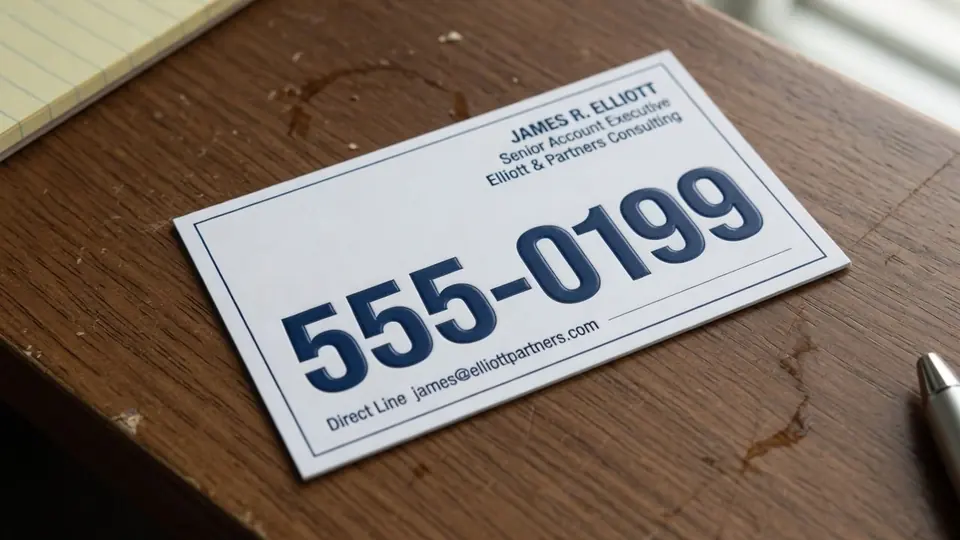
I recently opened an archived project folder searching for our official card layout, only to discover a single flattened raster export sitting next to an old email thread. The design agency delivered that static graphic over a year ago, but our team recently migrated our primary web address from OLD.CO to NEW.CO. Without access to the original project files or the commercial typefaces used in the composition, modifying that single contact row seemed like an unnecessary bottleneck.
If you find yourself holding an exported mockup or high-resolution card scan, rebuilding the card from scratch is rarely an appealing use of your afternoon. When you only need to swap an outdated website handle on a static image, focused raster text replacement offers a practical alternative to full graphic redesigns. I want to walk you through how you can replace that domain cleanly while preserving the surrounding textures, print alignments, and background tones.
Business Card Text Editor
Replace names, website URLs, and contact lines on finished business card graphics.
When to Edit Native Files Versus Raster Pixels
Before touching any image modification software, I always urge people to double-check their local archives for original editable documents. If your business card layout still lives inside an active workspace in Adobe InDesign or Canva, you should open that project and modify the native text frame directly. Vector typography and live layout frames maintain crisp outlines at any print resolution, making native editing the superior choice whenever source files exist.
However, teams frequently misplace source packages during personnel shifts, corporate rebranding handoffs, or studio transitions. When all you inherit is a flattened PNG, JPG, or WebP export, you no longer possess active text layers or embedded font licenses. In that specific scenario, using a dedicated Business Card Text Editor allows you to update specific lines directly across the flattened canvas without rebuilding every decorative layout element.
Replacing Outdated Web Handles on Static Cards
The most common reason I see for altering an existing card graphic is an infrastructure change, such as swapping OLD.CO for NEW.CO across contact collateral. When you upload a clear image of your card, the system scans the composition and detects readable text clusters automatically. You do not need to install local font packages or manually clone background patches to prepare the canvas.
Once the automated scan locates the lines, you type your replacement text directly into the designated input fields. The optical engine analyzes the surrounding letters to reconstruct matching stroke weights, ink colors, and spacing characteristics before synthesizing the new words into the canvas. This workflow allows you to Edit Text on a Business Card while keeping the original layout margins, paper textures, and nearby typography undisturbed.
Using Field Controls and Managing Unwanted Lines
When working with complex cards, you often encounter elements that you want to preserve exactly as they were originally photographed or rendered. The interface includes a Lock feature that pins identified text lines in place, preventing the generator from modifying their underlying pixel structures. I routinely lock company taglines, phone prefixes, and office addresses so the rendering pass focuses exclusively on the updated domain row.
Conversely, modern business cards occasionally carry redundant contact details that you might prefer to eliminate entirely from a renewed digital proof. If you decide that an old secondary fax number or obsolete social handle no longer belongs on the card, you simply leave that text input completely blank to remove the entire line. This clear distinction between locking preserved text and clearing unneeded entries keeps your final composition uncluttered and deliberate.
Credits, Resolution Options, and Operational Realities
Understanding the processing structure helps you plan your edits effectively without unexpected surprises. Text detection on uploaded files costs zero credits, allowing you to preview detected text zones and inspect layout boundaries before committing to a generation. New accounts receive complimentary trial credits after completing sign-in, enabling you to test the output quality on your own files.
When you decide to finalize your replacement text, generation costs depend on your chosen export resolution. A standard 1K render requires 10 credits, an intermediate 2K export consumes 20 credits, and a high-detail 4K render requires 30 credits. Because high-resolution cards demand substantial server compute to blend realistic typography across complex photographic backdrops, the platform does not offer an unlimited free tier or a high-volume batch processing API.
Optical Synthesis Versus Vector Font Files
I always remind colleagues that neural visual replacement operates via optical approximation rather than true font replication. The system performs best-effort matching based on the visual attributes of surrounding glyphs, rather than loading original OpenType or TrueType font files into your browser. While this approach reconstructs letterforms, subtle kerning nuances or rare custom ligatures may exhibit slight visual deviations when inspected under extreme magnification.
Because this is an image-space synthesis method, the output remains a static raster graphic rather than a lossless vector asset. You can upload and download your finished cards using standard static formats like PNG, JPG, and WebP. For digital portfolios, mobile previews, website team directories, and emergency presentations, this optical approach delivers a reliable likeness without demanding professional vector typesetting software.
Avoiding Placeholder Mistakes and Guarding Sample Data
Whenever you inspect product walkthroughs or demonstration mockups, you will likely notice sample contact blocks displaying generic 555 telephone numbers. These 555 numbers exist strictly as fictitious industry placeholders to demonstrate layout balance without exposing genuine private data. You must always enter your own verified phone numbers, real personal titles, and genuine web addresses rather than adopting sample entries as production data.
Sending a modified proof directly to a professional print shop without auditing every line can result in wasted paper stock and costly reprinting runs. I make it a habit to zoom in and read every updated character aloud to catch accidental typos before downloading the final file. A quick manual proofing pass guarantees that your real domain, direct telephone line, and formal email address route communications to the correct destinations.
Ethical Boundaries and Legitimate Image Editing
Modifying raster images requires strict adherence to ethical and legal boundaries. You should only use these tools to update business card scans, digital mockups, or proof sheets that you personally own or have direct administrative authorization to alter. Never utilize image editing technology to manufacture deceptive identification cards, counterfeit credentials, or unauthorized company representations.
Impersonating existing businesses, fabricating corporate titles, or attempting to misrepresent your professional affiliation compromises personal integrity and violates service terms. Raster editing should serve as a sensible maintenance solution for updating legitimate collateral, such as when an executive transitions domains or updates a direct phone extension. Respecting ownership boundaries ensures that image tools remain productive assets for legitimate business operations.
Everyday Scenarios for Raster Text Updates
A frequent challenge for remote professionals is updating digital business cards displayed on portfolio sites, presentation slide decks, or virtual event booths. When you change your agency domain or update your portfolio URL, waiting days for an external agency to locate archived vector packages can stall your marketing momentum. Taking an existing high-resolution card export and swapping the outdated web address allows you to refresh your digital footprint promptly.
Similarly, consultants who receive proof exports from local print vendors often discover small clerical adjustments right before an online client showcase. Rather than delaying an urgent presentation, you can Edit Text in Image to produce a polished mock visual for screen viewing while awaiting physical press runs. This practical agility helps independent creators maintain consistent branding across all virtual touchpoints.
Preparing Your Card Graphic for Clean Results
To achieve the cleanest optical text replacement, the quality of your source image plays a fundamental role. If you are photographing a physical card, ensure that the card lies flat under even, diffused daylight to minimize harsh specular glare across glossy cardstock. Avoid capturing heavy shadows or dramatic perspective angles, as flat, square scans produce the most reliable text boundary detection.
When sourcing a digital graphic, always export the highest resolution file available from your archives rather than downloading a compressed thumbnail from social messaging apps. Clean background contrasts between the typography and the underlying card paper enable the visual model to blend replacement strokes seamlessly. Taking thirty seconds to source a sharp, uncompressed source image pays substantial dividends in the final aesthetic quality of your updated card.
Final Review and Practical Verification
Before committing an updated graphic to wide distribution, I recommend comparing the modified file side by side with the original scan. Check that your new web address matches your active domain name registration and loads the intended landing page without redirect errors. Verify that neighboring text rows remain crisp, that line spacing feels proportional, and that the surrounding paper tone shows no digital smudges or unnatural color banding.
If you eventually plan to send the updated image to a commercial print house, keep in mind that raster files behave differently than vector press plates. For critical high-volume press runs, re-establishing a native layout with dedicated press typography remains the gold standard of prepress production. However, for digital networking, virtual business cards, and immediate promotional collateral, an optical replacement provides a swift and visually coherent result.
The Bottom Line
Discovering that your primary business card graphic contains an outdated web address is a common headache, especially when original InDesign packages have vanished over time. While native layout applications remain the ideal environment for editing live text, modern optical synthesis allows you to update static raster cards cleanly and effectively. By locking untouched contact rows, typing your genuine domain in place of old paths, and choosing the appropriate resolution tier, you can revive dormant card graphics without redesigning from scratch.
Remember to approach image editing responsibly by only modifying collateral you have the right to change, avoiding placeholder data traps, and proofreading every character carefully. When you need to refresh an exported proof or digital card mockup, thoughtful raster editing bridges the gap between misplaced source files and pristine professional presentation.
Sources
- https://en.wikipedia.org/wiki/Adobe_InDesign
- https://en.wikipedia.org/wiki/Domain_name
- https://en.wikipedia.org/wiki/VCard