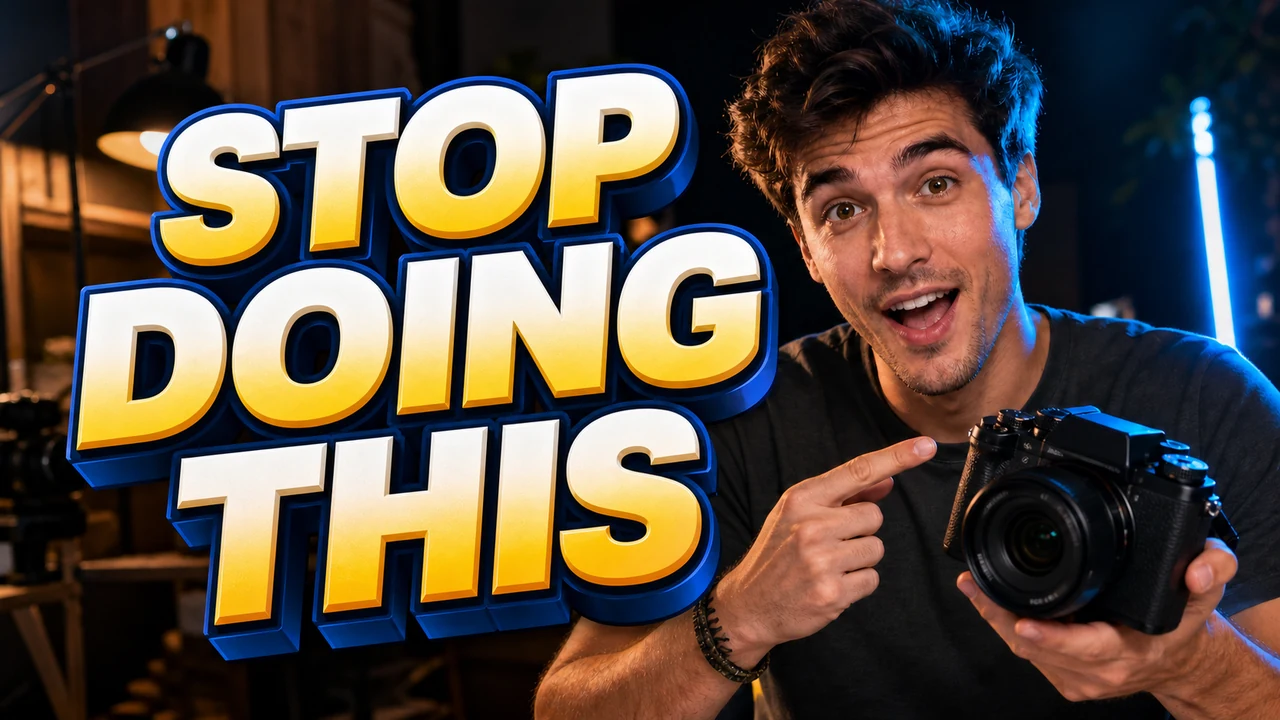
I remember sitting at my desk late on a Friday afternoon, staring at a YouTube livestream thumbnail that had suddenly become outdated. Our broadcast was pushed back to the evening, but the finished graphic sitting in my downloads folder had LIVE TODAY stamped across the presenter’s jacket in bold, stylized lettering. Because the promotional announcement was already scheduled to go live across our social channels, leaving the wrong broadcast time on the cover was simply not an option.
I immediately opened my browser to find the original design file in Canva, only to discover that our freelance designer had closed their account the previous week. Nobody on our internal team possessed the project link, and our local backup folder contained nothing more than a flattened 1280x720 PNG export. Rebuilding the entire graphic from scratch would have required tracking down the original background gradient, cutting out the presenter photo, and manually reconstructing the multi-layered drop shadows.
Thumbnail Text Editor
Edit baked-in words on video covers with our free online thumbnail text editor and style matching.
Why Source Files Differ from Static Raster Exports
When you still have access to your active design workspace in Canva or Photoshop, returning to that source file is always the best course of action. You simply double-click the existing text box, highlight the outdated phrase, and type your new schedule directly into the template. Native design applications preserve each word as an independent vector container, keeping your typography crisp and fully editable whenever revisions arise.
The real friction occurs the moment those editable project files disappear, leaving you with nothing but a flat raster file. Standard formats like PNG and JPG do not store text as isolated layers, distinct fonts, or movable shapes. Instead, every character, shadow, and background element is permanently fused together into a single grid of colored pixels that cannot be edited using traditional text tools.
Modifying Thumbnail Text Directly on the Canvas
When you are stranded without your original workspace, using a dedicated Thumbnail Text Editor gives you a realistic way forward. Rather than forcing you to recreate the entire layout from a blank screen, the platform examines the pixel structure of your flattened graphic. It recognizes where letters exist, maps their visual boundaries, and prepares the underlying background so the old phrase can be cleanly replaced.
This process eliminates the exhausting hunt for obscure font files or forgotten design packages. You do not need to scroll through external typography libraries trying to guess the exact commercial font family that someone else selected months ago. The system reads the visible visual properties directly from the existing letters and prepares to render your revision into that exact spatial footprint.
Manual Input Versus Automated Suggestions
You remain in complete control of the exact words that appear on your updated image. Once you upload your flattened thumbnail, you type your replacement phrase into the input field rather than relying on automated translation suggestions or algorithmic guesses. The platform does not alter your editorial intent or push unwanted marketing slogans into your layout.
Changing LIVE TODAY to LIVE TONIGHT requires deliberate, accurate typing that matches your specific publishing needs. You enter the exact characters, spacing, and capitalization required for your revised streaming schedule. The system takes your explicit text string and prepares to blend those new letters into the visual area previously occupied by the original headline.
Selective Line Locking and Credit Allocation
During the initial inspection phase, the visual engine segments the detected typography into distinct, manageable lines. You can toggle a lock on any identified line that you wish to keep intact across the composition. Locking a line guarantees that secondary elements, such as guest names, dates, or sponsor watermarks, remain untouched while you modify only the main headline.
Running text detection across your uploaded image does not cost any credits. You can inspect the identified text boundaries, test your line locks, and confirm your typed replacement text without deducting anything from your account balance. This free detection step lets you verify that the engine understands your layout before committing to any final rendering.
Every creator receives trial credits upon signing in, allowing you to test the workflow on your own assets before making larger commitments. When you are ready to produce your updated graphic, credit usage scales strictly according to the output resolution you select. Generating a standard thumbnail at 1K resolution uses 10 credits, while a 2K export consumes 20 credits. If you need crisp, high-resolution visuals for large displays, a full 4K render requires 30 credits.
Reconstructing Visible Styles on Flat Backgrounds
Relying on a Canva Image Text Editor alternative requires a clear understanding of how generative styling works on flattened graphics. The engine inspects visible cues like letter weight, gradient transitions, border strokes, and ambient glow to approximate the original design. It then rebuilds the replacement text by applying those observed visual characteristics directly onto the restored background area.
It is important to recognize that this method provides a close visual approximation rather than a true font file installation. The platform does not install proprietary font binaries or reconstruct vector outlines on your computer. Instead, it generates a fresh raster layer where the newly painted characters match the tone, thickness, and lighting of the surrounding composition.
The platform does not provide unlimited free image generations or an automated bulk API for mass rendering. Every image revision is processed intentionally as an individual task to maintain high visual standards across the canvas. This focused setup ensures dependable results for creators who need clean, reliable modifications on individual production assets.
Managing Complex Backgrounds and Visual Highlights
Modern YouTube thumbnails frequently feature dense, multi-layered visual compositions with dramatic studio portraits, glowing outlines, and vibrant color washes. When you need to Edit Text in Image files that have heavy visual textures, isolating the text region properly is essential. The engine carefully fills the void left by the original lettering, repaints the surrounding background patterns, and places your updated text cleanly on top.
By locking surrounding graphical badges and secondary text boxes, you prevent adjacent visual details from warping during the generation pass. This precise containment keeps your presenter cutouts sharp and protects subtle background gradients from developing distorted patches. You avoid the muddy textures and misaligned edges that often appear when using basic clone-stamp tools in generic desktop software.
Legibility and Audience Trust on Video Platforms
Correcting outdated thumbnail text helps your audience understand exactly what to expect before they click to watch your video. Having an accurate title on your cover graphic eliminates confusion among returning viewers and maintains a cohesive visual standard across your channel. It ensures that your promotional materials align seamlessly with your revised broadcast reality.
At the same time, updating your cover graphic cannot guarantee increased audience retention, improved search placement, or higher view counts. Video platforms distribute content through complex algorithmic systems that assess viewer behavior, watch history, and topical relevance over long periods. Clear thumbnail text simply provides an honest, legible presentation that respects your audience’s time.
Establishing Reliable Asset Habits for Future Releases
Experiencing a missing project file often encourages creators to establish more resilient asset archives for future campaigns. Whenever you complete a new thumbnail project in Canva or Photoshop, make it a standard practice to export an unlettered version of the background alongside your final graphic. Keeping a clean background plate on hand ensures that you have an effortless foundation for future text updates if your team changes or source files become inaccessible.
When sudden schedule adjustments leave you holding nothing more than an exported PNG file, generative image editing bridges the production gap effectively. You can update streaming hours, correct misspelled names, and keep your publishing calendar on track without starting your layout from scratch. It turns what would otherwise be a stressful roadblock into a manageable task that keeps your workflow moving forward.
The Bottom Line
Losing access to your original Canva project does not have to derail your publishing schedule or force you into rebuilding a thumbnail from scratch. By uploading your flattened graphic, locking any text lines you wish to preserve, and entering your replacement copy manually, you can update your cover image directly on the raster canvas.
Text detection is completely free to run, while clear credit pricing based on resolution allows you to export your finished work at 1K, 2K, or 4K. Although generative reconstruction approximates visible visual styles rather than supplying original font files, it provides a dependable, practical alternative when flat images are the only assets you have left.
Sources
- https://zhuanlan.zhihu.com/p/2042181678433658606
- https://en.wikipedia.org/wiki/Aspect_ratio_(image)
- https://en.wikipedia.org/wiki/Digital_video
- https://en.wikipedia.org/wiki/Video_editing