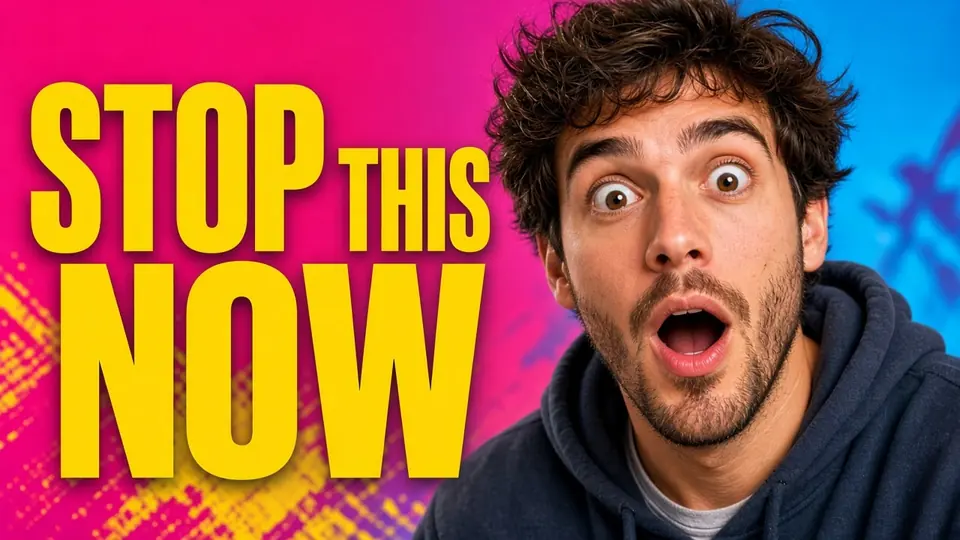
I remember sitting at my desk late on Thursday evening, reviewing the finished graphic I had exported for an upcoming live broadcast. Across the lower right quadrant, a bold neon sign graphic displayed the phrase LIVE FRIDAY with an electric blue and magenta glow. Beside that vibrant lettering, my face was clearly visible in the foreground, and my mechanical keyboard rested neatly across the wooden table under a warm desk lamp. The entire composition felt ready, but an unexpected calendar conflict forced me to push the stream back by two days.
That sudden schedule adjustment meant the luminous neon phrase had to read LIVE SUNDAY instead of the original broadcast date. Searching my drives, I realized I had left the layered project file on an external storage drive at my studio. Setting up the camera, lighting, and workspace again was out of the question on such short notice. I simply needed to modify the flattened graphic so that LIVE SUNDAY replaced the old lettering while keeping my face and keyboard completely intact.
Edit YouTube Thumbnail Text
Change titles, hooks, or numbers on covers with our free online YouTube thumbnail editor.
When to Revisit Your Original Design Software
If you still possess the original project file in Photoshop, Figma, or Canva, your best course of action is to open that project immediately. Native design applications allow you to highlight existing text boxes and retype words with total typographic fidelity. Working directly with your active vector layers ensures that your typography remains crisp, original kerning stays intact, and no pixel synthesis is required.
You should only turn to modifying a flattened graphic when that exported file is the sole copy available to you. Creators frequently export a PNG or JPG to a laptop or send it to a colleague before noticing a schedule error. When the native project file is inaccessible, recreating complex photo crops and ambient lighting effects by hand becomes an exhausting chore. In those moments, editing the flattened graphic directly provides a practical alternative.
What Is Free and How Trial Credits Operate
Many online graphic tools create confusion by advertising unconditional free services without clarifying their true usage boundaries. I believe in being completely straightforward about what costs nothing and what requires an account balance. When you visit ReWords AI, uploading your image file and running the initial text detection scan is completely free and requires zero credits. You can inspect the bounding boxes, review the recognized wording, and plan your adjustments without spending anything.
Actual image generation relies on trial credits that are granted to your profile once you complete the sign-in process. The platform does not offer an unlimited free generation tier, nor does it provide a bulk API for automated background processing. Instead, each export consumes credits based strictly on the output canvas dimensions you select for your graphic. Exporting at 1K uses 10 credits, generating at 2K costs 20 credits, and producing a 4K asset requires 30 credits.
This structured credit allocation means you can test your layout ideas carefully before spending any of your trial allowance. Because the scanning phase costs nothing, you can verify that the system correctly identifies your text lines before committing to an export. Once you confirm that the targeted words are highlighted properly, you choose the resolution tier that fits your publishing needs.
Updating the Words on Your Exported Thumbnail
When I loaded my broadcast graphic, my single objective was changing the neon LIVE FRIDAY phrase to LIVE SUNDAY without disturbing the surrounding photo. The interface accepts common static picture formats, allowing you to upload PNG, JPG, and WebP files without converting them beforehand. By using Edit YouTube Thumbnail Text, the detection engine scans the flattened graphic and isolates each text cluster into an editable list.
Once the scanner completes its pass, you locate the detected line containing your outdated phrase in the side panel. You replace the original wording by typing LIVE SUNDAY directly into the corresponding text field. If you notice an auxiliary text box that you no longer need on the canvas, simply leaving that text field blank removes the line entirely. This approach keeps the workflow straightforward because you type the exact characters you want to appear on the screen.
Alongside each detected phrase, you will find a toggle with a lock icon. Activating this control locks that specific detected text line in place, rather than locking a Photoshop layer. Locking an identified line tells the model to leave those characters untouched while updating other selected phrases across the composition.
Matching Visible Weight and Color Without Font Files
A frequent misconception about modifying flattened images is that the software searches for and installs a traditional font file. In reality, the editor does not look up typography files like OTF or TTF formats on your computer or an external server. Instead, the engine evaluates the visible aesthetic qualities that already exist in your source graphic, including character width, stroke weight, and color gradients.
For my thumbnail, the model analyzed the bright magenta and cyan glow typical of a glass neon sign. It observed how the light cast color spill across the wall and reflected off my desk. The system then synthesized replacement letters for LIVE SUNDAY to emulate that illumination, while keeping my face and mechanical keyboard untouched.
Because this technique relies on visual pixel synthesis rather than vector font curves, it functions as a best-effort graphical approximation rather than a mathematically lossless vector replacement. The system strives to weave the new lettering seamlessly into the surrounding textures, ambient shadows, and atmospheric noise of the original image. For thumbnails that feature dramatic lighting, high contrast, or colored glows, this visual blending produces a coherent final image.
Preserving Composition Across Your Channel Media
Content creators face changing broadcast dates, guest updates, and revised episode numbers on a regular basis. Relying on a specialized Thumbnail Text Editor allows you to resolve these everyday updates without rebuilding an entire creative project from scratch. Your portrait stays framed where you want it, your gear remains sharp in the foreground, and only the necessary headline elements undergo revision.
This same methodology extends smoothly beyond video cover graphics to other visual assets you publish across the web. Whether you need to update an event banner, an announcement slide, or a promotional header, you can use Edit Text in Image to refresh outdated text without locating lost source files. You simply upload the flattened static visual, type your revised copy, and export the updated graphic using your available trial balance.
It is essential to maintain realistic expectations regarding how graphic updates impact your channel performance. Modifying the date or headline on a video thumbnail does not guarantee increased click rates, higher view counts, or improved search rankings. Audience interest depends on topic relevance, video content quality, and viewer intent rather than typography alone. Updating your cover simply ensures that your published visual reflects accurate scheduling information.
Understanding Creative Boundaries and Technical Limits
Working with flattened raster files requires an understanding of the technical boundaries inherent to image editing. The system processes only static graphic files in PNG, JPG, and WebP formats, meaning animated GIFs, video snippets, and vector graphics are unsupported. Because there is no automated batch processing option, you must review each graphic individually to verify spelling and layout alignment before generating the output.
Ethical guidelines are just as important as technical parameters when dealing with online visual media. This workflow is built for editing your own visual assets when layered project files are unavailable. You should never use editing tools to download, modify, or repurpose visual materials created by other creators. Focusing strictly on your own media preserves your creative integrity and protects your brand from copyright complications.
Because your trial credits are granted upon account registration, thoughtful preparation helps you make the most of your starting balance. Always review your typed text for typos and check your selected resolution before you click the generate button. Taking a moment to verify that LIVE SUNDAY is spelled correctly prevents you from wasting valuable credits on repeat renders.
The Bottom Line
When you have access to your original layered project files, returning to your primary graphic design software is always the best solution. However, when you only have an exported static file, updating the text directly saves you from reshooting your scene or rebuilding a complex composition. On ReWords AI, scanning your graphic and typing replacement words is completely free, while generating the final image consumes trial credits based on your resolution choice. By understanding these boundaries, you can easily change LIVE FRIDAY to LIVE SUNDAY while keeping your face and keyboard untouched.
Sources
- https://en.wikipedia.org/wiki/Neon_sign
- https://en.wikipedia.org/wiki/Friday
- https://en.wikipedia.org/wiki/Sunday