I was sitting in the corner booth of a neighborhood café late on a Tuesday afternoon when the manager sent over an urgent message about the chalkboard photo I had snapped before lunch. The kitchen had just switched distributors for heavy cream, and our printed card needed a price update before the dinner service graphics went live on social channels. In the middle of the soup section, the camera shot on my screen clearly read SOUP $8, but the kitchen sheet now required SOUP $9.
If you are still standing in the dining room and can walk over to the board with a fresh piece of chalk, you should always rewrite the text and retake the photo. A fresh photograph taken under balanced lighting will always look cleaner than editing compressed pixels on a phone screen. But when you are already miles away from the dining room and only have this single photo saved on your camera roll, editing the existing text directly inside the image becomes your only practical choice.
Changing numbers on an existing food list sounds deceptively easy until you actually open a standard image editor. Most basic markup tools require you to place an opaque color patch over the existing characters and paste a standard digital font on top of it. That approach immediately creates an artificial sticker effect that clashes with the natural paper texture, wood grain, or soft ambient lighting of the original venue.
Recreating the entire menu layout from scratch in a graphic design package is often impossible on short notice. You rarely have the original design project file or the exact commercial font family that the print shop used three seasons ago. When you need to Change Text in Image files without starting over, what you actually want is a tool that leaves the surrounding photography untouched while seamlessly swapping out the target digits.
The core question many operators ask is what kind of tool can handle this task without turning the photo into an unreadable smudge. General generative image systems usually hallucinate extra lines, warp nearby borders, or scramble the rest of the text on the page. You need a dedicated visual text replacement system that treats text characters as deliberate structural glyphs rather than abstract background noise.
This precise problem is why we designed ReWords AI around targeted text replacement rather than blanket image regeneration. Instead of erasing an entire quadrant of your menu, the engine scans the uploaded file, isolates individual text rows, and maps their exact spatial coordinates. You type your own replacement words into a clean text box, ensuring that you stay in full control over spelling, punctuation, and monetary values.
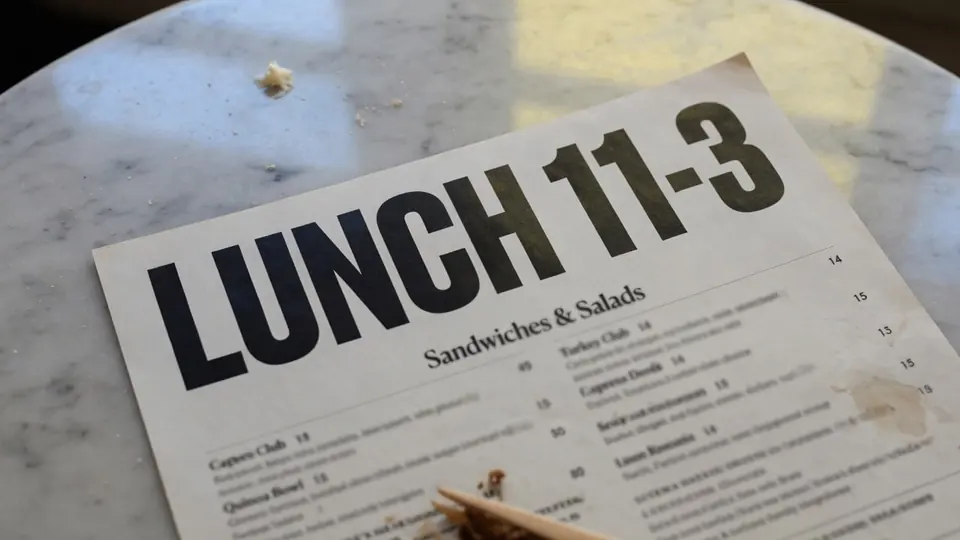
The workflow differs fundamentally from automatic translation services that try to guess what language you want and rewrite every word without asking. Here, there is no automatic translation running in the background to alter your dish descriptions or misinterpret culinary jargon. When you use ReWords AI to Edit Text on Menu images, you decide exactly which line changes and what new characters replace the old ones.
When you upload your snapshot, the platform runs an optical detection pass to identify every distinct text line across the board. Running this text detection phase costs you zero credits, so you can inspect the parsed bounding boxes before deciding whether to spend anything. Once the detection pass completes, every recognized sentence or price tag appears in an editable list beside your image.
In our afternoon café scenario, the detector cleanly highlights the line that currently says SOUP $8. You simply click into that field, backspace over the digit, and enter SOUP $9 to reflect the updated price. Because you type the exact characters yourself, there is no risk of the software hallucinating unintended words or altering the name of the broth.
Next to every detected text entry in the sidebar, you will find an individual Lock switch. Toggling this Lock on guarantees that the model will not touch or re-render that specific line during the generation pass. If you want to remove an obsolete side dish or discontinued special entirely, simply leaving that text input field blank removes that line from the final output.
Locking the unaffected lines is especially valuable on crowded dining cards where dozens of small entries sit close together. You can lock all the salad headers, beverage prices, and sandwich descriptions, leaving only the soup row active for modification. This targeted approach prevents incidental distortion across the rest of your layout, keeping the surrounding typography intact.
New users receive complimentary trial credits immediately upon signing in, allowing you to run your first test generations without an upfront payment. Once you are ready to produce the modified image, clicking the Generate button consumes credits based entirely on your selected output resolution. A standard 1K render costs 10 credits, a sharper 2K export consumes 20 credits, and an ultra-detailed 4K export requires 30 credits.
We deliberately do not offer an unlimited free tier because running neural diffusion models on high-resolution graphics requires substantial computing resources. Similarly, we do not provide a bulk automated API, as the platform is built for deliberate, hands-on adjustments rather than unattended batch processing. This infrastructure focus ensures that our servers deliver reliable rendering quality for users who need dependable visual corrections.
Before using any neural image editing system, it is vital to understand the technical boundary between generative rendering and native typography. ReWords AI performs best-effort visual matching rather than loading an installed font file from an operating system directory. The algorithm examines the stroke thickness, angle, and texture of the surrounding characters to synthesize new pixels that blend with the camera capture.
Because the system generates new pixels directly into a bitmap canvas, the output is not mathematically lossless. You are uploading static raster files in standard PNG, JPG, or WebP formats, and the system delivers a modified raster file in return. For web sharing, social media announcements, and digital flyers, this best-effort synthesis blends naturally without revealing awkward digital seams.
Handwritten chalkboards and rustic wooden signs present unique visual textures that traditional design apps struggle to replicate. Chalk dust, uneven paint strokes, and natural wood grain give restaurant boards their distinct handmade charm. When the model redraws SOUP $9, it borrows the rough edges and chalk consistency of neighboring letters so the new numeral looks like it was written with the same stick of chalk.
Knowing when to edit an image and when to recreate a graphic from scratch is an essential skill for restaurant managers and content creators. If you have the original layered master file in your computer, opening that design file and exporting a pristine PDF will always produce razor-sharp vector output. But when you only have a flat camera photograph shared over messaging apps, using a specialized tool to Edit Text in Image files saves hours of frustrating rebuilding.
Taking a moment to evaluate the quality of your source photograph can dramatically improve your final results. Photos taken straight on with balanced lighting allow the detection algorithms to isolate character boundaries with maximum clarity. If your original capture suffers from extreme perspective tilt or heavy thumb shadows across the pricing column, cropping the image slightly before uploading can help the model focus on the relevant line.
Practical restaurant marketing often moves faster than formal design schedules, requiring flexible solutions for unexpected daily changes. A sudden kitchen shortage, a seasonal recipe rotation, or an adjusted supplier invoice should not force you to abandon an otherwise perfect promotional photograph. Having a dedicated tool to swap individual numbers keeps your visual marketing current while protecting the authentic atmosphere of your establishment.
Change Text in Image
Update words in finished images with our free online image text changer and style matching.
The Bottom Line
Whenever you have the opportunity to rewrite a physical board and take a fresh photo, that will always remain the cleanest solution. When you are stuck with an existing camera shot and cannot retake it, ReWords AI provides a focused way to change specific lines like updating SOUP $8 to SOUP $9 directly inside the image. You type the new text yourself, lock down every line you want preserved, and pay zero credits for the initial detection pass.
With trial credits granted upon sign-in, you can test the workflow on your own static PNG, JPG, or WebP files without committing upfront. Generations cost 10 credits for 1K, 20 credits for 2K, and 30 credits for 4K resolutions, reflecting the real computational power behind neural pixel synthesis. While it offers best-effort visual matching rather than lossless font vectorization, it eliminates the need to rebuild entire menus just to update a single price tag.
Sources
- https://en.wikipedia.org/wiki/Soup
- https://en.wikipedia.org/wiki/Recipe
- https://en.wikipedia.org/wiki/Cuisine