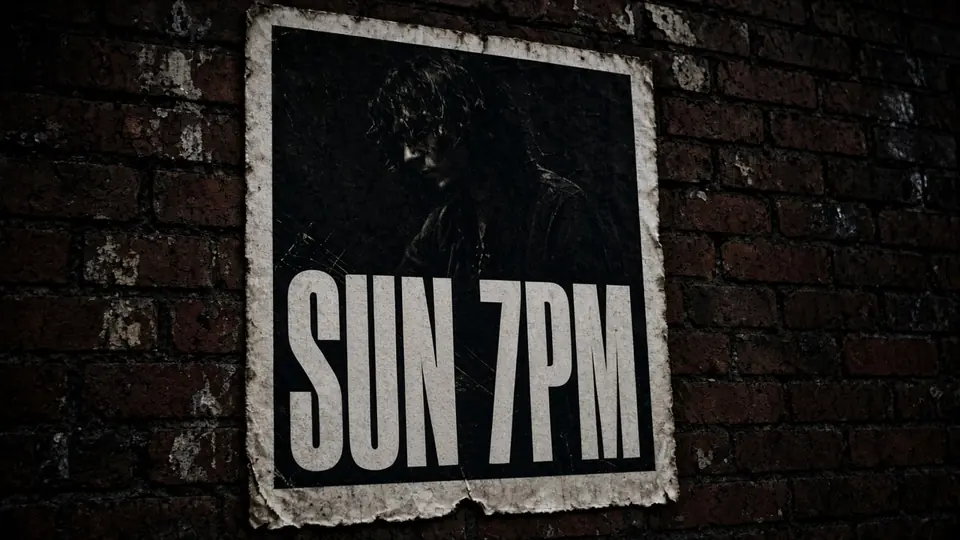
I was staring at a flyer yesterday for a Thursday night gig at a local basement venue. The headline banner shouted "OPEN MIC" in distressed neon letters against a dark brick wall, but the promoter had just notified everyone that the session was switching to an "OPEN JAM" format. The show was tomorrow, the original designer was unreachable, and the only file on my computer was an exported PNG sitting on my desktop.
When you find yourself in that spot, your first instinct is often to drop the graphic into a standard editing app and hope for an easy fix. You quickly discover that uploading a flyer to Canva will not turn the flattened pixels from the original export back into editable text boxes. The graphic stays completely locked as a single picture layer, leaving you with no way to click on the words and retype them.
Let me be clear about the proper workflow before we talk about image workarounds. If you still have access to the original design file in Figma, Photoshop, or whatever application was used to build the piece, go back to that original file and edit the text box directly. Working inside the native source document is always the cleanest path because it keeps your typography, kerning, and layer hierarchy intact.
Most of the time, though, people only search for help because the original project archive disappeared months ago. You might have received a flattened JPG from an event coordinator, or pulled a WebP graphic from a social media post that needs an updated date. On a finished flyer, critical details like dates, venue locations, ticket prices, and set times are baked directly into the pixel grid.
Fixing that flat image used to require hours of tedious work with clone stamps, healing brushes, and manual typography matching. You had to smudge out the old lettering, patch the background texture by hand, and hunt through font sites to find a typeface that looked somewhat similar. Even after all that effort, the patched area often looked blurry or unnatural compared to the rest of the poster.
That frustration is why so many people look for ways to edit a flyer online free without dealing with complex software suites. With our web platform, you can upload your graphic, run automatic text detection across the entire layout, and review every detected phrase without spending any credits. The initial scanning stage costs nothing, allowing you to confirm that the system accurately mapped your text lines before you type out your replacement wording.
Once you decide to render your revised flyer, the actual image creation runs on trial credits that become available after you sign in to your account. We do not offer unlimited free image exports, because running heavy visual synthesis models requires dedicated server resources. Generation consumes credits based on your selected resolution tier: a 1K image requires 10 credits, a 2K image costs 20 credits, and a 4K image takes 30 credits.
When you upload your graphic to our Flyer Text Editor, the detection model isolates each line of text across the layout. The interface displays your image on one side and a clean list of text fields on the other, corresponding to every detected line. This clear separation makes it easy to review the text without getting lost in complicated toolbars.
In the case of my basement show graphic, the editor picked up the prominent "OPEN MIC" line near the top of the canvas. I clicked directly into that detected entry and entered "OPEN JAM" into the text field. The system leaves the creative choices entirely up to you rather than pushing automated translation suggestions or unprompted phrasing.
You type the exact replacement words yourself because promotional copy demands human precision. Event schedules, door times, and band lineups cannot rely on predictive text engines that might alter names or dates by mistake. You stay in full control of every character that appears on the updated canvas.
Flyers usually contain several blocks of text that you want to preserve exactly as they are, including door times, venue addresses, and sponsor logos. Our interface includes a line locking feature to protect those elements from unwanted changes. It is important to realize that this lock secures a specific detected text line in the list, rather than an underlying Photoshop layer.
When you lock a line, the system ignores that text string during the synthesis pass so the original letters remain undisturbed. You can lock five lines, edit one headline, and leave the rest of your layout untouched. This selective approach prevents accidental modifications to fine print like age restrictions or website links.
Sometimes an event change means dropping an obsolete detail rather than replacing it with new words. If an opening band drops out or a sponsor pulls their banner, you simply leave that corresponding text field completely blank. Leaving a line empty instructs the engine to remove those characters and reconstruct the background texture behind them seamlessly.
Knowing how to Edit Text on Flyer designs becomes especially valuable when your poster features intricate backgrounds like paper grain, weathered wood, or glowing light leaks. Flat patches from standard graphic apps stick out immediately against textured surfaces. A specialized visual engine reads the surrounding context so the replacement lettering blends naturally into the existing atmosphere.
The system performs a best-effort visual match of the visible style, lighting, bevels, and texture rather than looking up an external font file. It observes the visual thickness, slant, color gradients, and shadows present in the original letters to synthesize your new copy. Because this is visual synthesis rather than native vector typesetting, the result is an artistic reconstruction rather than a lossless digital file.
This visual matching approach means you do not have to know the name of the font that the original graphic designer selected. The engine looks at the physical appearance of the letters on the canvas and generates new characters that echo those stylistic cues. That capability saves you from spending hours scrolling through font directories trying to identify an obscure display typeface.
The process works consistently whether your source file is an exported PNG, a standard photographic JPG, or a modern WebP graphic saved from an event website. When you need to Edit Text in Image assets, the underlying pipeline parses the file format and extracts the text coordinates automatically. You do not need to convert file types before dropping your artwork into the workspace.
It is also worth noting that our service operates on individual images through a focused web interface. We do not provide a batch API or bulk processing pipeline for modifying hundreds of event graphics automatically. Each image receives your direct attention so you can inspect the detected lines, verify your new copy, and choose the right export resolution.
Many promoters still try to solve text changes by opening layout tools to slap solid color rectangles over the old lettering. They place a solid box over the old date, type new text over the box, and hope nobody notices the patch. That trick cuts sharp geometric edges through gradients and photographic textures, whereas a visual replacement engine maintains the atmospheric depth of the original artwork.
To achieve the cleanest results on your flyers, you should always start with the highest quality image available. High-resolution exports give the detection model clean character boundaries to analyze, which improves both line recognition and style reproduction. It also helps to keep your replacement text reasonably close in length to the original wording so the new typography fits naturally within the existing layout space.
Make sure to review all critical event data before you click the generate button. Verify the spelling of performer names, the exact numbers for ticket prices, and the calendar date of the show. Selecting 1K works well for digital messaging, while choosing 2K or 4K delivers noticeably sharper typography for printed posters and high-density screens.
Flyer Text Editor
Modify schedule titles and delete unwanted words on finished promo flyers.
The Bottom Line
If your original design project is still accessible on your hard drive, always go back and edit the text box inside that source file. When you only have a flattened raster image and a sudden schedule change to address, our online editor lets you replace baked-in text without rebuilding the entire graphic from scratch. You can scan your artwork and enter your new words for free, lock down the lines you want to keep, and use your trial credits to render a clean, high-resolution flyer that is ready for show night.
Sources
- https://zhuanlan.zhihu.com/p/2065449081007346078
- https://www.zhihu.com/question/29496489
- https://www.zhihu.com/question/657445134
- https://en.wikipedia.org/wiki/Copy_editing
- https://en.wikipedia.org/wiki/Ticket_(admission)
- https://en.wikipedia.org/wiki/Box_office