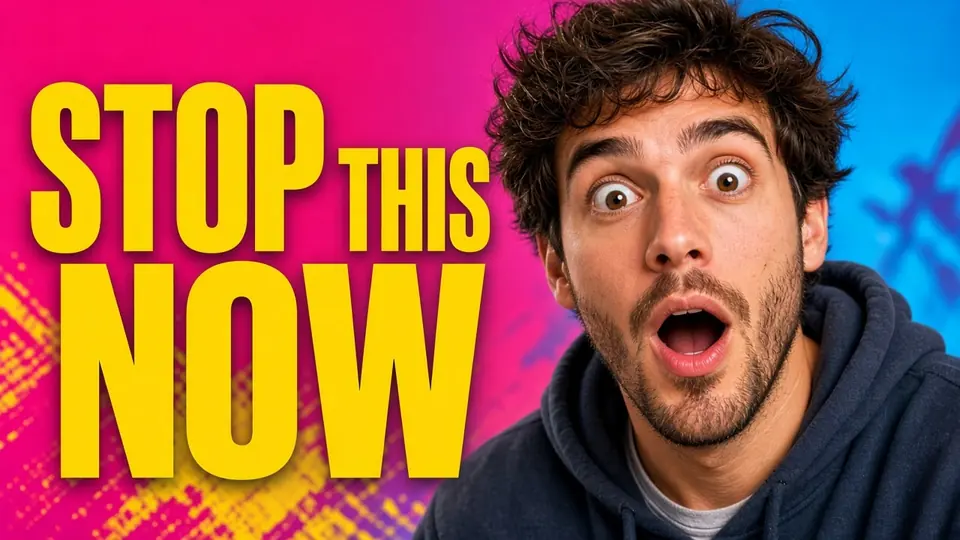
I was reviewing my publishing schedule yesterday evening when the vertical card for my upcoming release caught my attention. Right across the lower third of the graphic, bold white lettering spelled out EPISODE 12 against a muted studio wall. The video set for tomorrow was actually episode 13, and the original canvas used to build the graphic was nowhere to be found on my computer.
My face occupied the upper half of that vertical frame, complete with studio lighting reflecting off my cheek and dark headphones resting around my neck. The entire visual was already compressed into a single flat file, meaning there was no active text layer left to double-click. Rebuilding the portrait, the background gradient, and the border from scratch would take far more effort than correcting a single digit.
Edit YouTube Thumbnail Text
Change titles, hooks, or numbers on covers with our free online YouTube thumbnail editor.
The Rule for Layered Project Files
If you still have access to your original design canvas in Photoshop, Canva, or Illustrator, you should open that software right now. Native text layers give you absolute control over letter spacing, font geometry, and alignment without guessing. Modifying an exported raster image directly should only happen when your source files are missing, corrupted, or completely unavailable.
Many creators encounter this situation after clearing temporary project caches or archiving old folders. You export a vertical graphic, save the video, upload everything, and realize too late that an episode counter is off by one digit. When that happens, your only practical option is adjusting the lettering directly on the flattened file.
Why Shorts Thumbnails Present Unique Challenges
Vertical formats leave very little breathing room for typography because the mobile frame is narrow. In my preview image, the badge displaying EPISODE 12 sat just below my chin to avoid being covered by mobile interface icons. When text sits that close to a human subject, ordinary patch tools tend to smudge facial contours or distort skin tones. Maintaining the integrity of the portrait while replacing characters requires targeted treatment of the text zone.
Unlike widescreen desktop banners, a vertical card concentrates visual weight into a tight center column. Viewers look immediately at your facial expression, your studio environment, and the short phrase identifying the clip. If you paste a solid colored box over the wrong number, the visual patch looks obvious and sloppy.
How Character Detection Reads the Text Area
When you upload a graphic to Edit YouTube Thumbnail Text, the system scans the canvas to detect each string of letters. This detection pass costs zero credits, allowing you to review how the text blocks were parsed before committing to a render. In my file, the scan highlighted the phrase EPISODE 12 as a distinct line near the lower border. You can then click into the text box and manually type your correction.
The interface also includes a lock toggle next to each detected phrase. Locking an item secures that specific detected line so its visual contents stay untouched, which is different from locking a Photoshop layer. Leaving an unwanted line completely blank simply removes that text from the final image.
Preserving Facial Contours and Studio Lighting
The primary concern when altering text on portrait graphics is avoiding unwanted spillover onto skin, hair, or clothing. In my project, the letter E in EPISODE sat close to the collar of my dark shirt and the edge of my headphones. A capable Thumbnail Text Editor isolates the stroke boundaries of the detected letters rather than washing out the surrounding pixels. The facial expression, the subtle catchlights in the eyes, and the background shadows remain undisturbed.
Because the system reconstructs the background texture beneath the letters, you do not end up with an awkward blank cutout. It fills the space previously occupied by the numeral 2 with the corresponding ambient tone before rendering the numeral 3. That allows the new digit to sit naturally inside the existing layout without overlapping adjacent design elements.
Style Approximation Versus Font Engines
You should understand that neural text replacement operates through visual approximation rather than reading true font files. It evaluates the visible weight, slant, thickness, and color tone of the original characters across the line. From those visual clues, it generates replacement letters that closely follow the style of the surrounding words. The result is an optical match rather than an identical vector reproduction.
If your channel relies on an uncommon custom typeface with decorative flourishes, subtle differences might appear under close inspection. For standard bold sans-serif lettering commonly used on vertical video covers, the visual continuity is solid. You retain the aesthetic of the original graphic without needing to track down the exact font file.
Credit Structure and Resolution Tiers
Every account receives trial credits after signing in, which lets you test the editing workflow on your own files. When you choose to run a generation, credit consumption scales directly with the output canvas resolution. Exporting a 1K image costs 10 credits, a 2K image costs 20 credits, and a 4K image costs 30 credits. Because detection uses zero credits, you only spend your balance when you trigger the generation phase.
The platform accepts common static picture formats including PNG, JPG, and WebP. You should know that there is no unlimited free generation plan, and there is no automated batch processing API available. Each image is processed individually through the editor so you can inspect the alignment before saving the file.
Updating the Episode Badge on Your Cover
When I tackled my own project, I dropped the flattened PNG into Change Text in Image to start the workspace. The engine detected the lower text string immediately, recognizing the characters without misreading the numbers. I typed EPISODE 13 into the replacement field, verified that the lock state was set correctly on surrounding elements, and selected 2K resolution. The generated output presented the updated episode number while leaving my facial features and background untouched.
After reviewing the result, I downloaded the updated graphic and inspected it at full view. The new numeral 3 matched the heavy stroke weight and matte white color of the preceding letters. I then swapped the image into my YouTube scheduling queue without touching the video timeline.
Practical Limits and Image Quality Factors
Working with flattened imagery always involves technical tradeoffs that you need to anticipate. When you edit a compressed file, you are modifying raster pixels rather than moving independent graphic assets. If an image contains heavy compression artifacts or severe blur, character detection requires extra care. Clean, high-resolution source exports produce much clearer typography and cleaner background fills.
I never rely on thumbnail edits to manipulate video performance, and you should avoid expecting algorithmic gains from altering text. Changing an episode tag simply ensures that your audience receives accurate information when browsing your catalog. Clear metadata helps viewers navigate an ongoing series without confusion.
You should also remember to keep your original project files organized whenever possible to avoid needing raster modifications. Store templates in dedicated project directories and label each revision with clear version names. Flattened image editing serves as a reliable rescue mechanism when project archives fail, but structured design files remain the gold standard. Using both strategies appropriately keeps your publishing schedule running smoothly.
Blending Typography with Studio Backdrops
In many studio setups, colorful rim lighting casts vibrant blue or teal reflections across the creator's shoulders. In my vertical graphic, a subtle blue gradient spilled from the top corner down behind the text area. The generation process takes that ambient gradient into account so the new characters do not look flat or pasted on. It preserves the natural light falloff across the lower third of the canvas.
If your graphic features drop shadows or outer glow effects, the engine attempts to replicate those atmospheric properties along the new letters. While it cannot provide the granular shadow sliders found in specialized editing software, it blends the text into the surrounding light field. That coherence prevents the updated section from clashing with the existing backdrop.
Checking Mobile Visibility Before Publishing
Before uploading any revised graphic back to your channel, you should verify its legibility at handheld dimensions. Open the exported PNG or WebP file on your phone and hold it at an ordinary viewing distance. Make sure the updated episode number remains readable against the background colors. Checking the visual balance on an actual device prevents surprises once the video goes live.
It is equally wise to ensure the text does not collide with on-screen interface elements like subscription buttons or audio links. Keeping the typography centered or slightly elevated protects it from being obscured by platform overlays. Once you confirm the layout works in real viewing conditions, your graphic is ready for publication.
The Bottom Line
Fixing a flattened YouTube Shorts thumbnail does not require rebuilding your layout when an episode counter is incorrect. ReWords AI detects the existing characters, lets you type the exact replacement, and preserves your portrait and background lighting. When project files are missing, it provides a direct way to update your cover art without starting over.
Sources
- https://en.wikipedia.org/wiki/Podcast
- https://en.wikipedia.org/wiki/Headphones
- https://en.wikipedia.org/wiki/Short_film